An AI-assisted planning tool for driver assistants.
It turns order images into a suggested route, arrival windows and customer messages. The assistant checks the information, agrees the plan with the driver and contacts each customer.
Role
User service operations; field research, product and interaction design, testing
Industry
Logistics: luggage storage, shipping home and removals, London
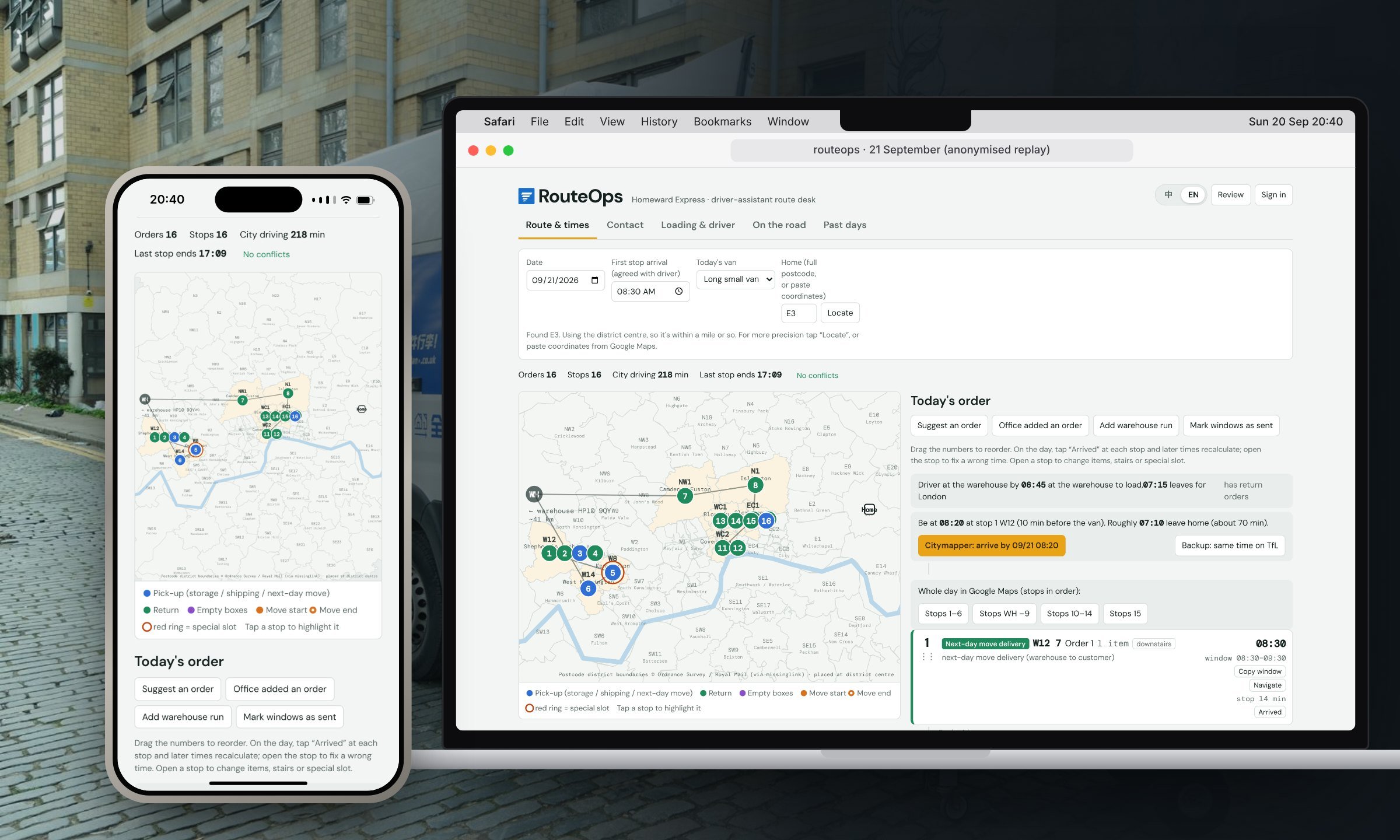
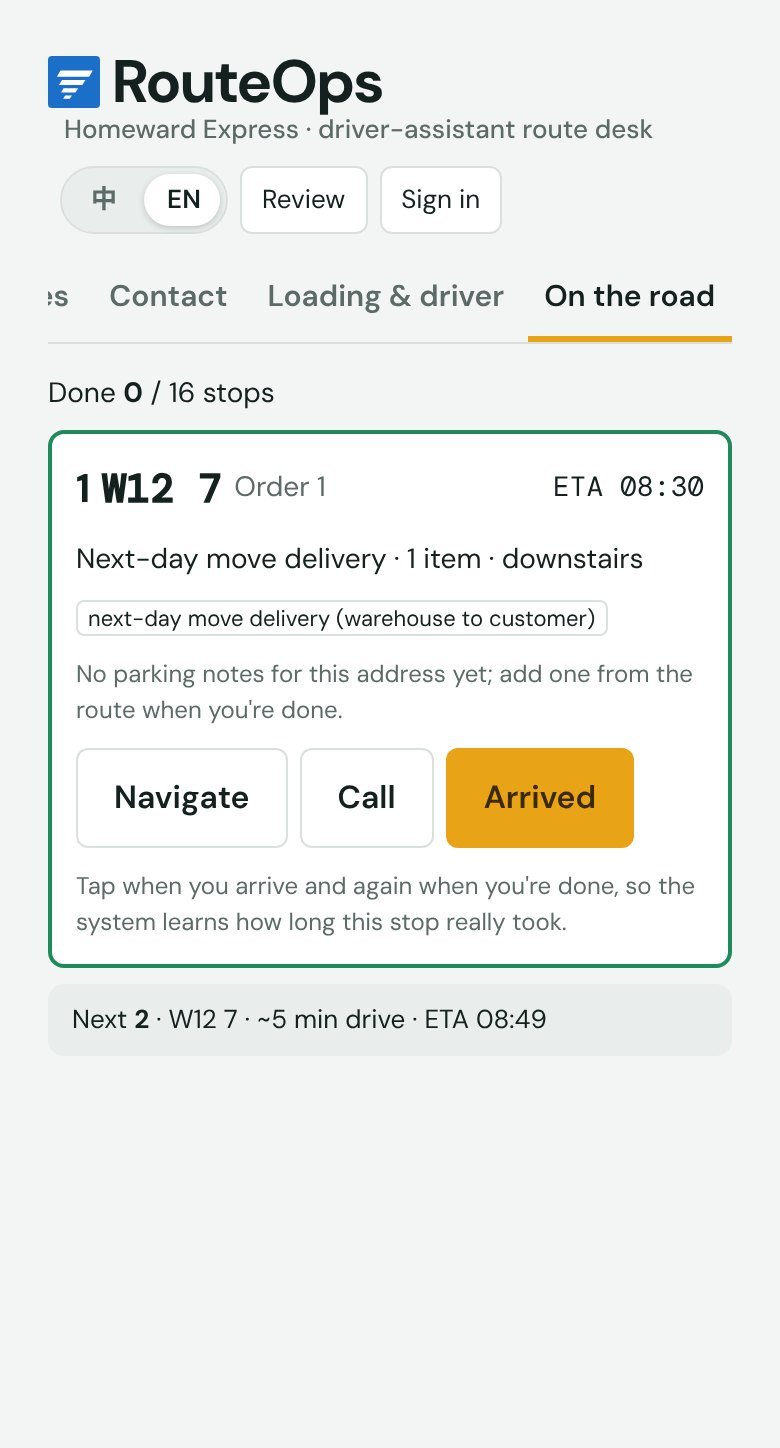
21 September, replayed. The route desk on a laptop the evening before, and the same route on the phone.Try live demo ↗
01 Context · The real job
From service operations to the passenger seat.
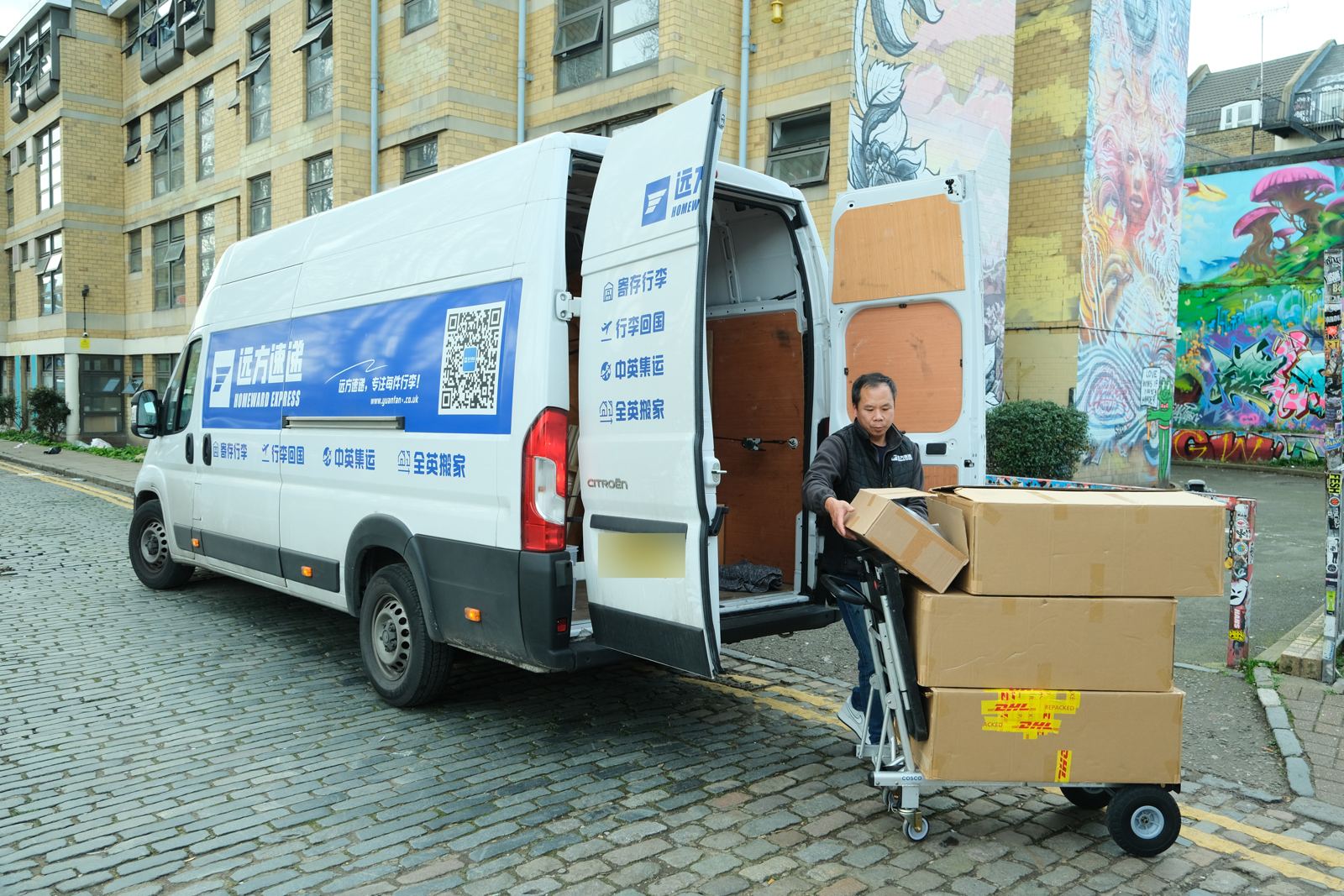
My role at Yuanfang Express (Homeward Express) was in user service operations. The London company provides luggage storage, shipping to China and removals. In that work, I noticed how much coordination fell to the driver assistant: connecting the driver, customers, customer service and the warehouse.
In 2026, I joined the work myself as a driver assistant to investigate the problem firsthand. I followed the process from receiving the next day's orders to planning, contacting customers and working on the road. The existing system recorded individual orders, but the assistant still had to turn them into a workable day.
4–16
orders a day, anywhere in London
4 kinds
of job: luggage returns, pickups to ship home, storage pickups and moves
1 + 1
one driver and one assistant per van, with a warehouse in High Wycombe
6–8 h
on the road, and the next day still to plan
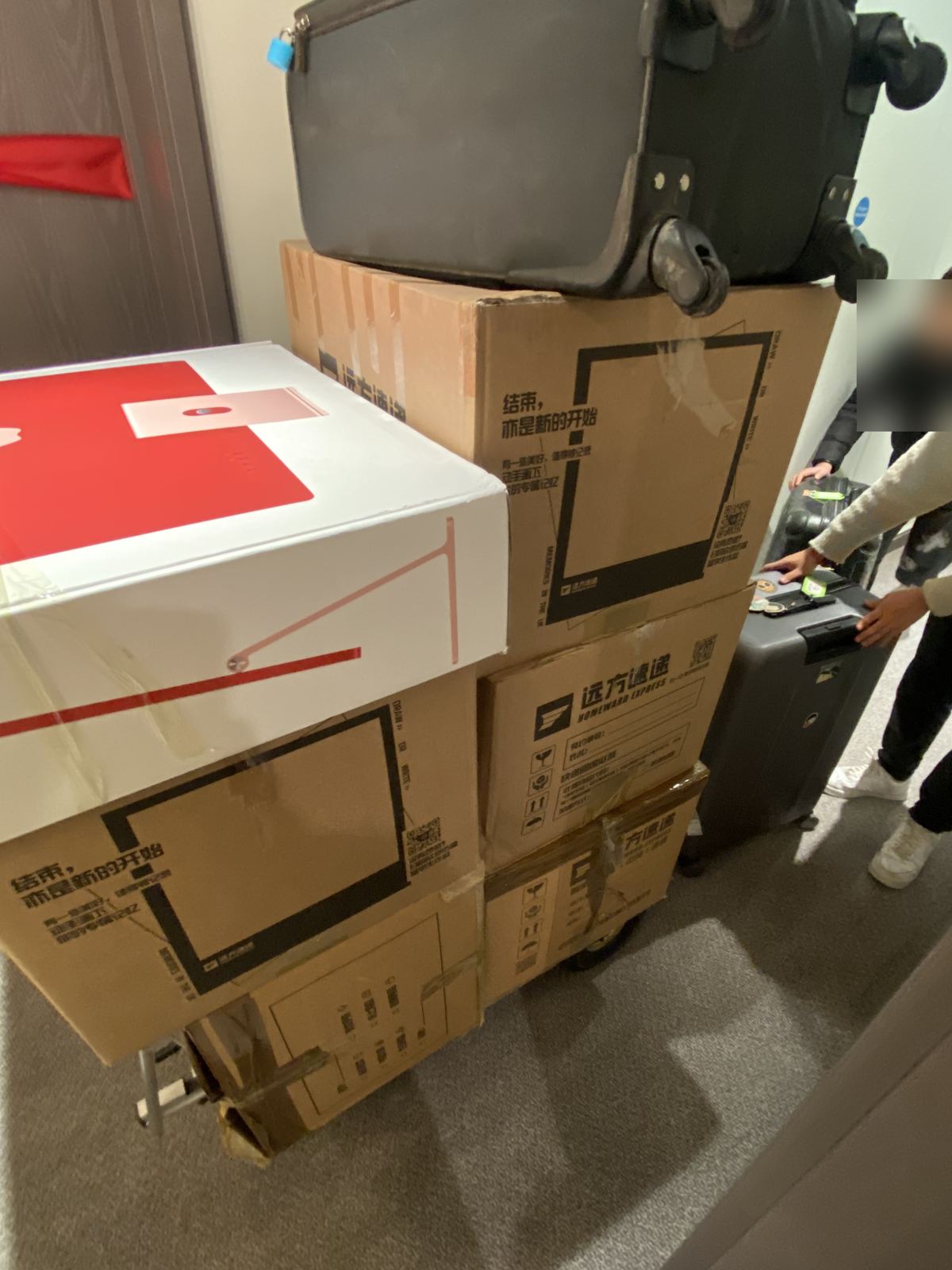
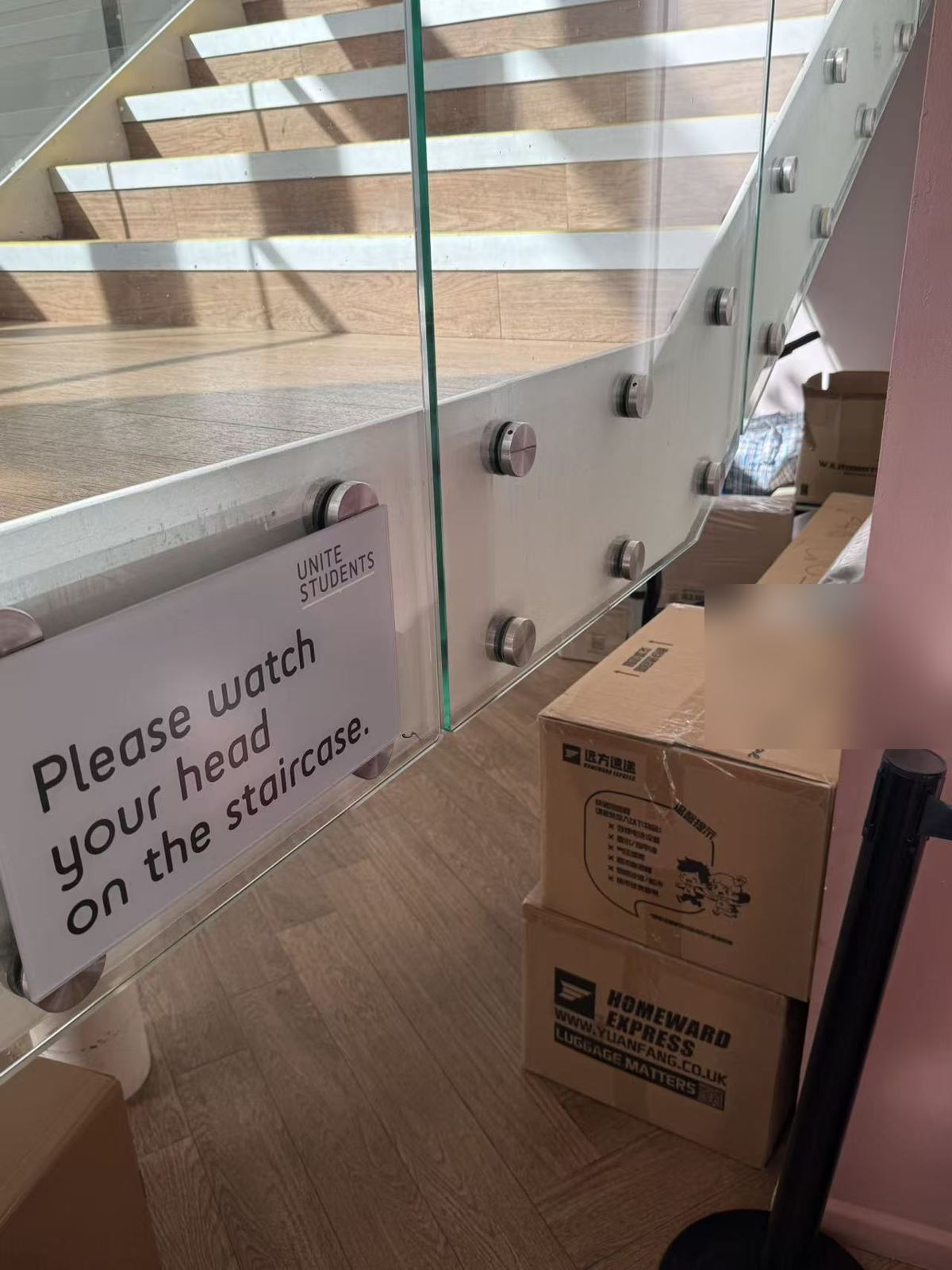
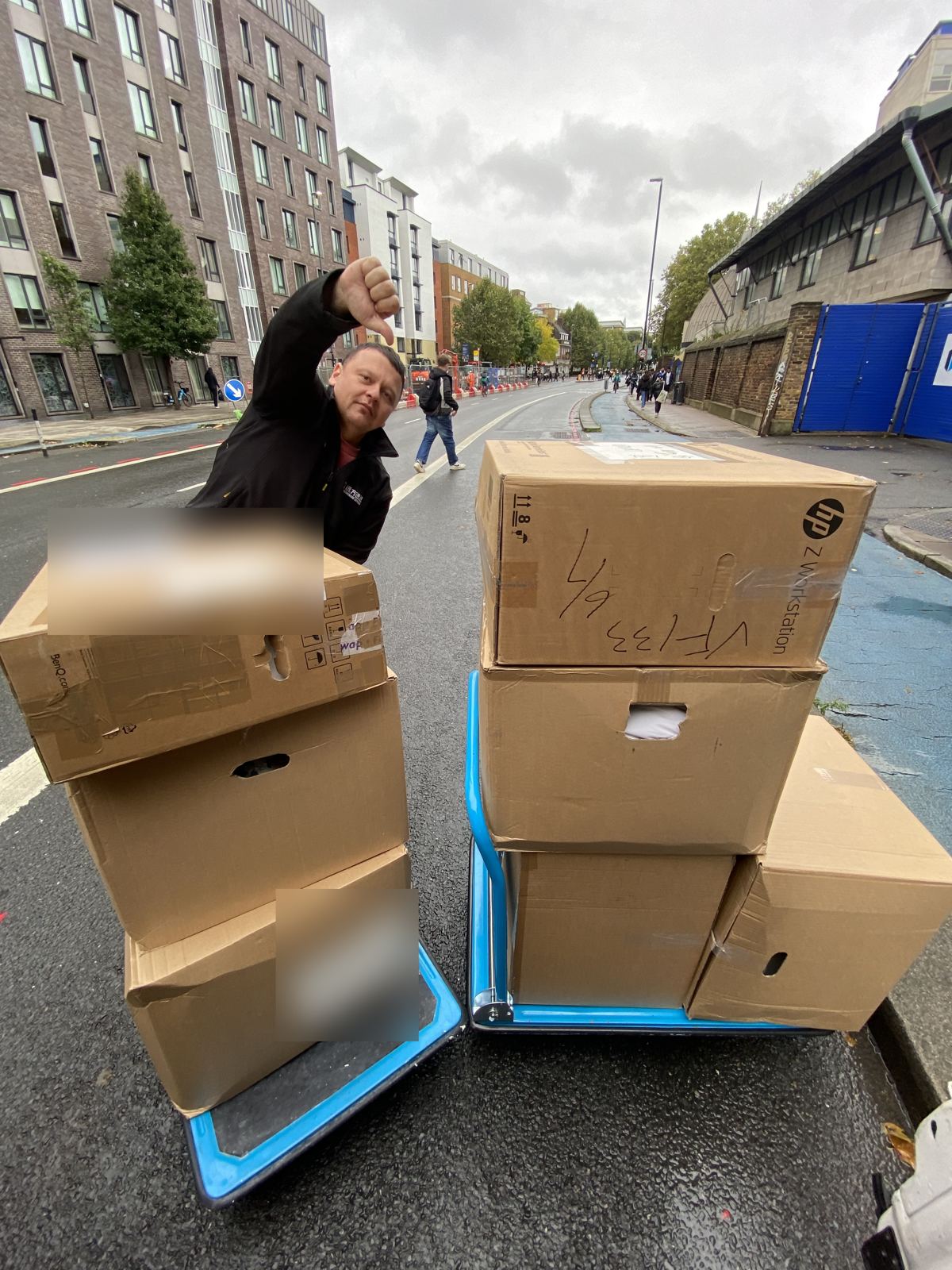
One van, all of London. A day's stops can run from one side of the city to the other.Luggage at the customer's door. The sheet gives a number of items; how they come down the stairs and out of the door decides how long the stop takes.20 September, stop 3. Returned luggage handed in at the building's front desk at 11:14.
02 The problem · An invisible second shift
An invisible second shift.
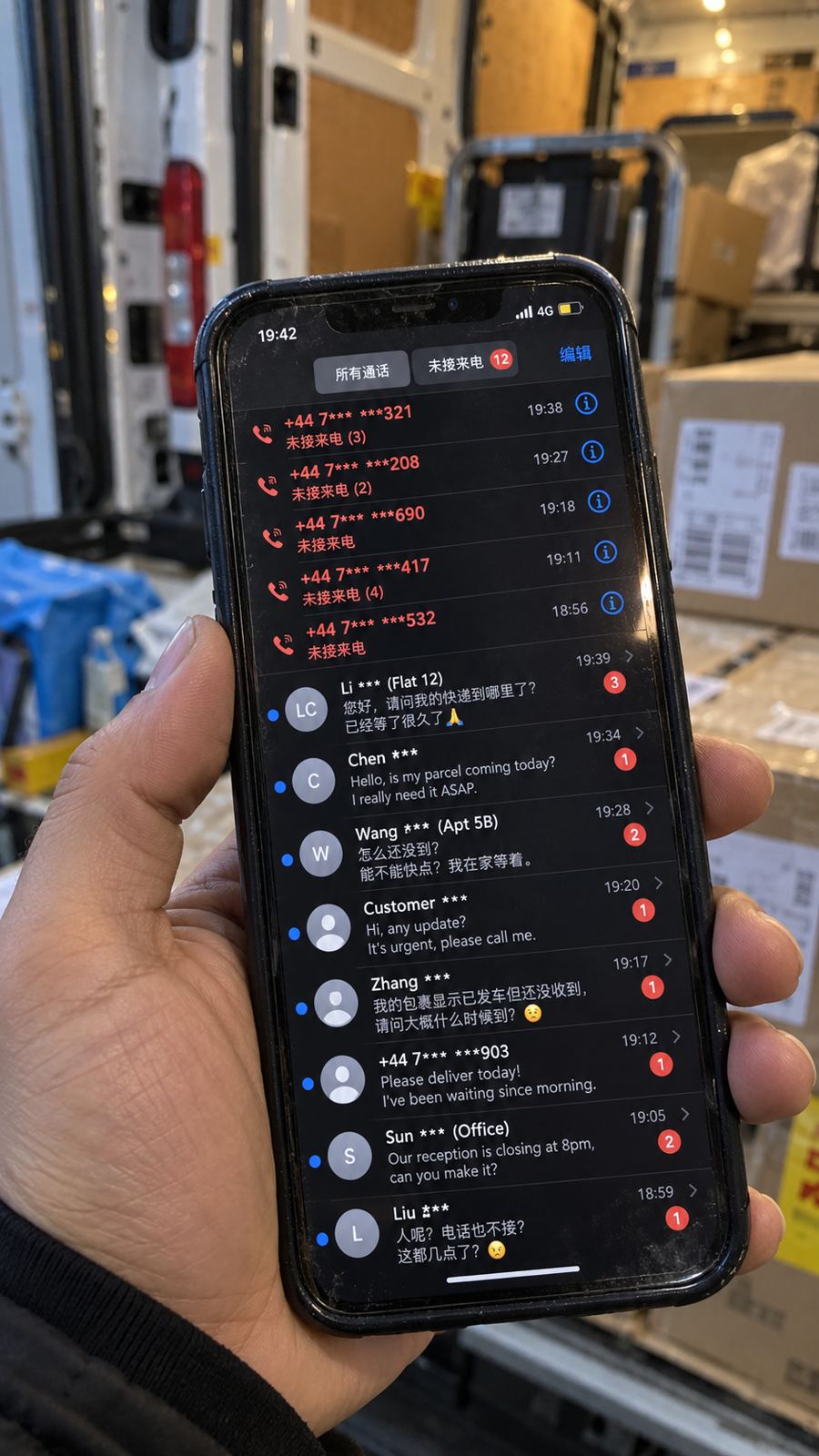
A shift ended at 4 or 5 pm. Planning the next day, and telling every customer about it, often ran until 11 at night.
EveningThe sheet arrives
The boss sends a photo of tomorrow's jobs.
EveningCross-check
Compare it with the order list in the company app. They don't always match.
EveningWait for the driver
Nothing can be promised until the driver says when the day starts.
EveningOrder and times
Work out the order and every arrival window by hand.
Late eveningTexts, then calls
Two texts each, one customer at a time. No reply means a call, then a WeChat group.
Next dayChain delays
One long stop pushes every later window, and the messages start.
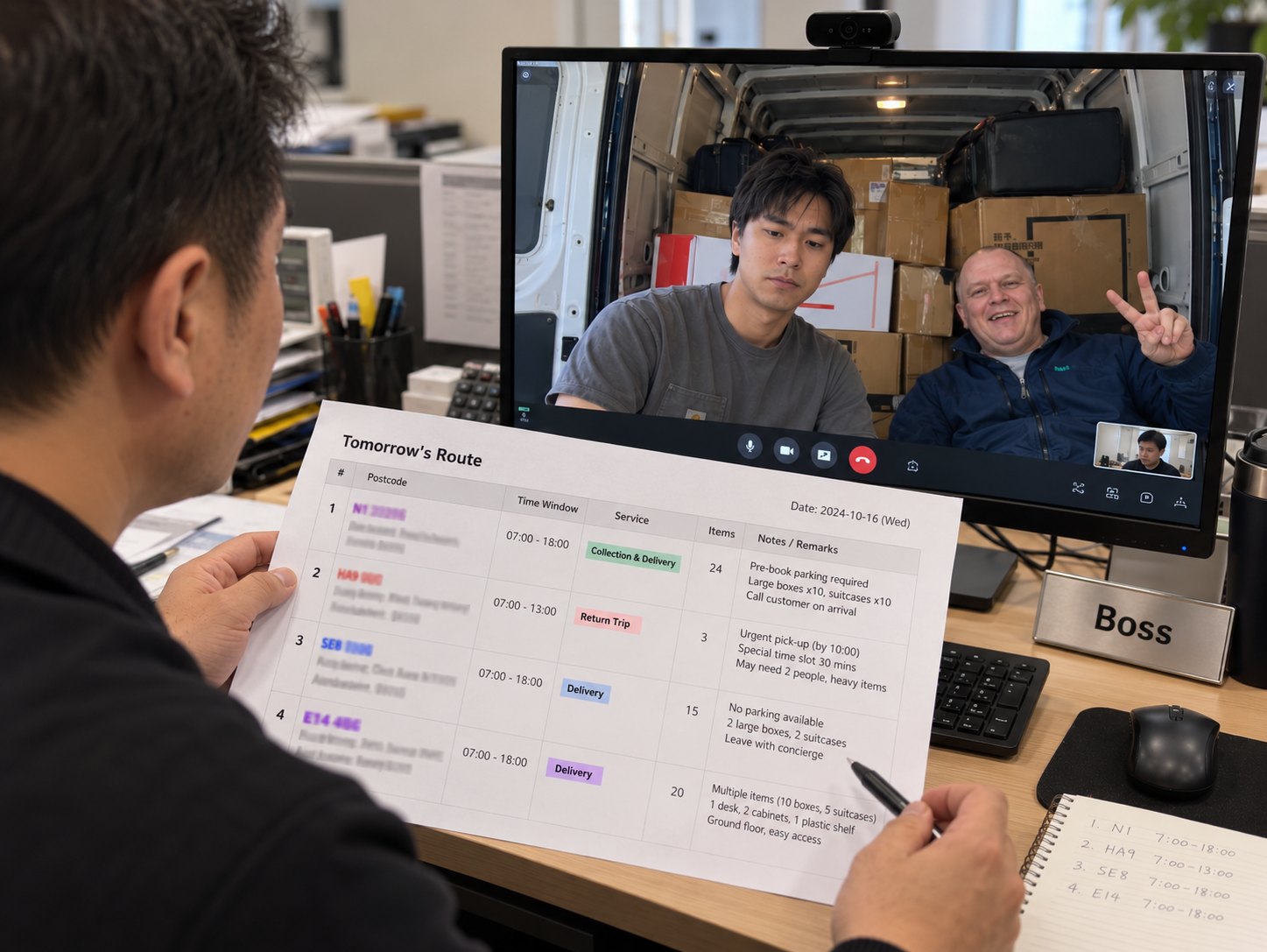
Tomorrow's jobs, on a video call. The boss goes through the orders with the driver and me. Most jobs come with an all-day window.
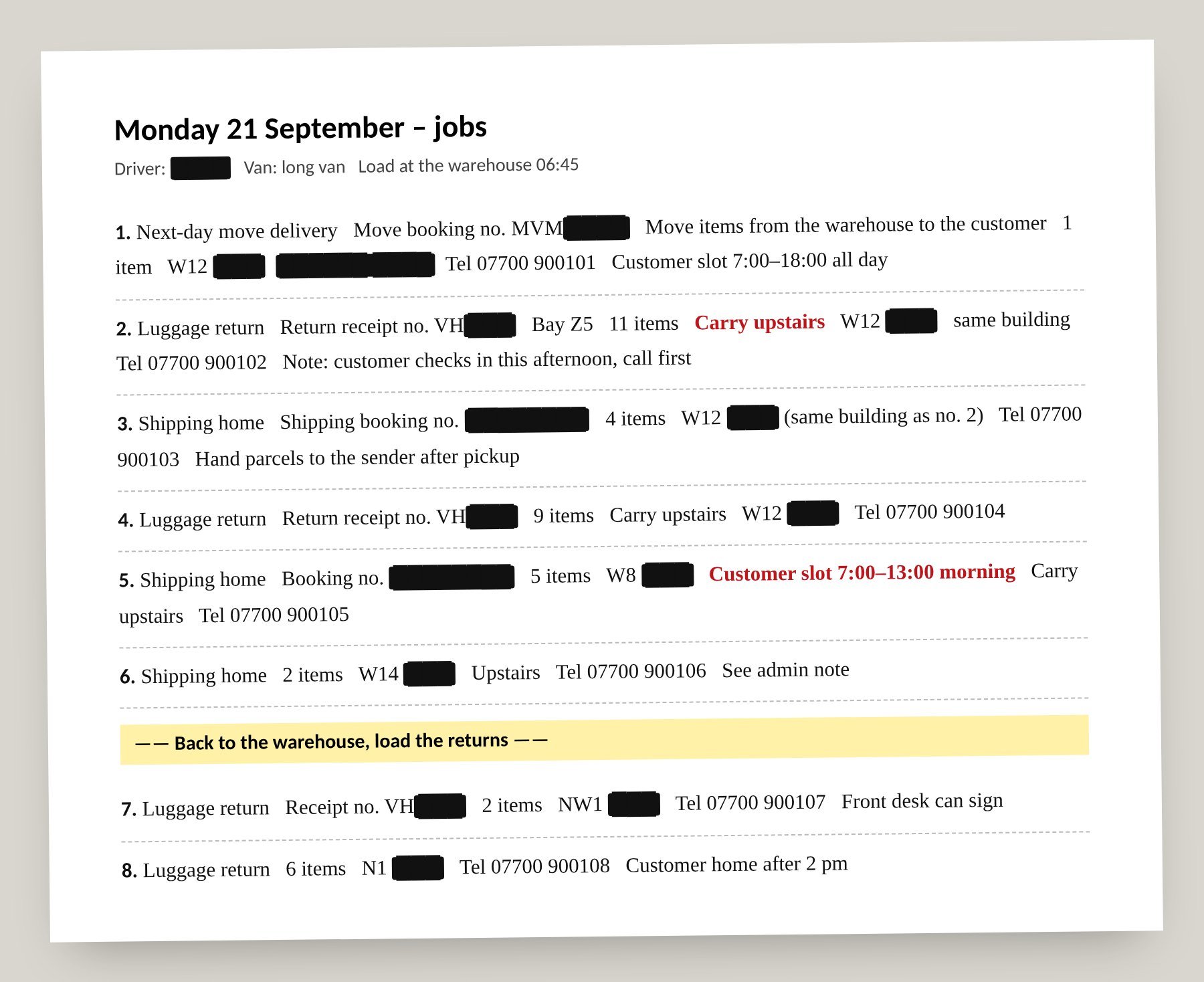
The boss's sheet. What each job is: type, postcode, items, stairs and any time limit. It doesn't say which job comes first, or when we will arrive.
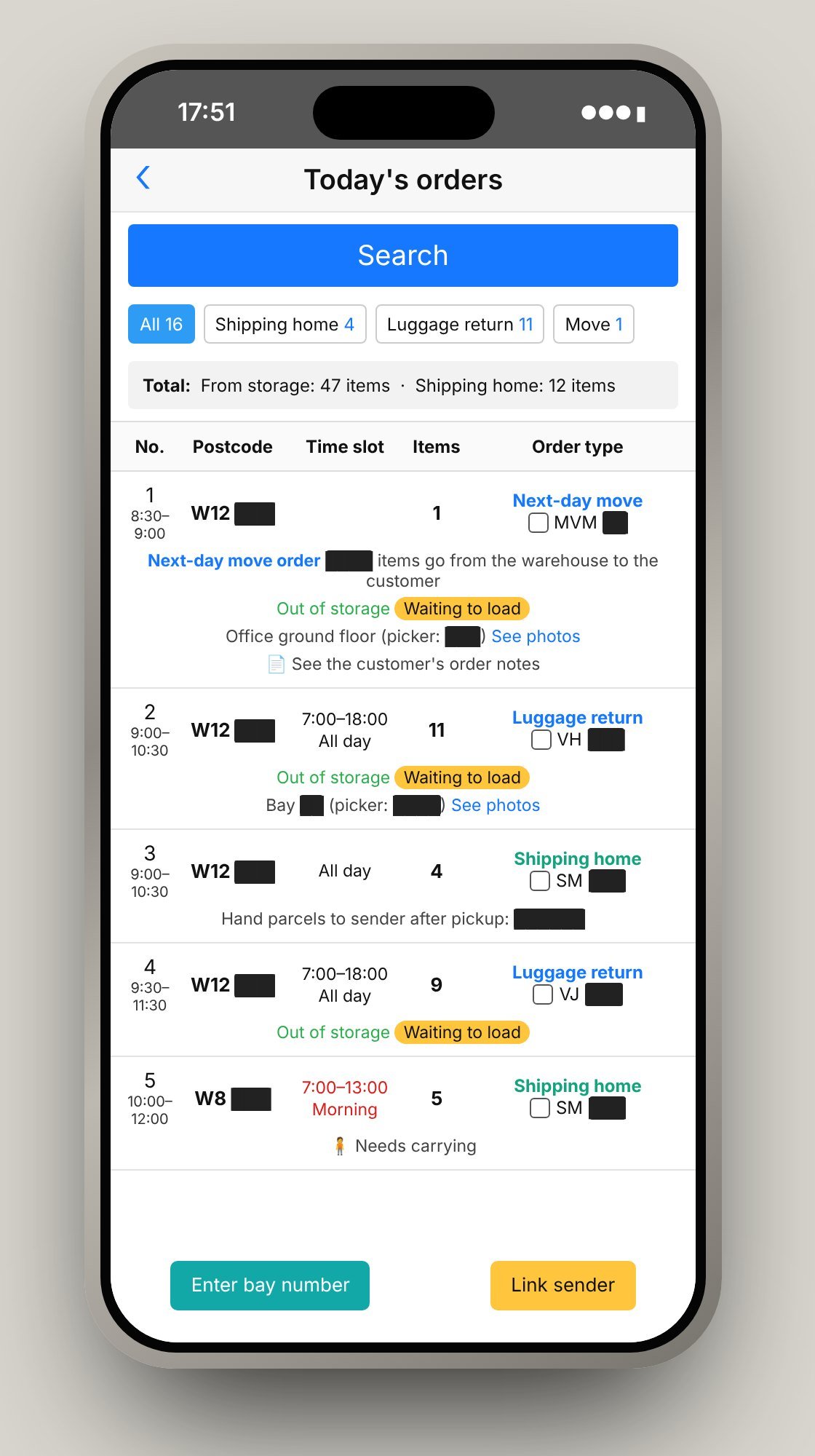
The company's driver app. Every order is there. Putting them in order and filling in each arrival time is done by hand, one order at a time.
Two systems, two different jobs.
The company system keeps the orders and their completion records. RouteOps uses that information to help the assistant plan the day and coordinate the people involved.
Existing systemOrder management & fulfilment
Keeps each order's details, records the work and marks it complete.
What needs to be done, and what has been done?
RouteOpsPlanning & coordination
Shows how the day's orders relate, sets the order of the stops and coordinates the times.
How can it all get done together, realistically?
RouteOps only reads from the company system. Orders are still kept, and completed, there.
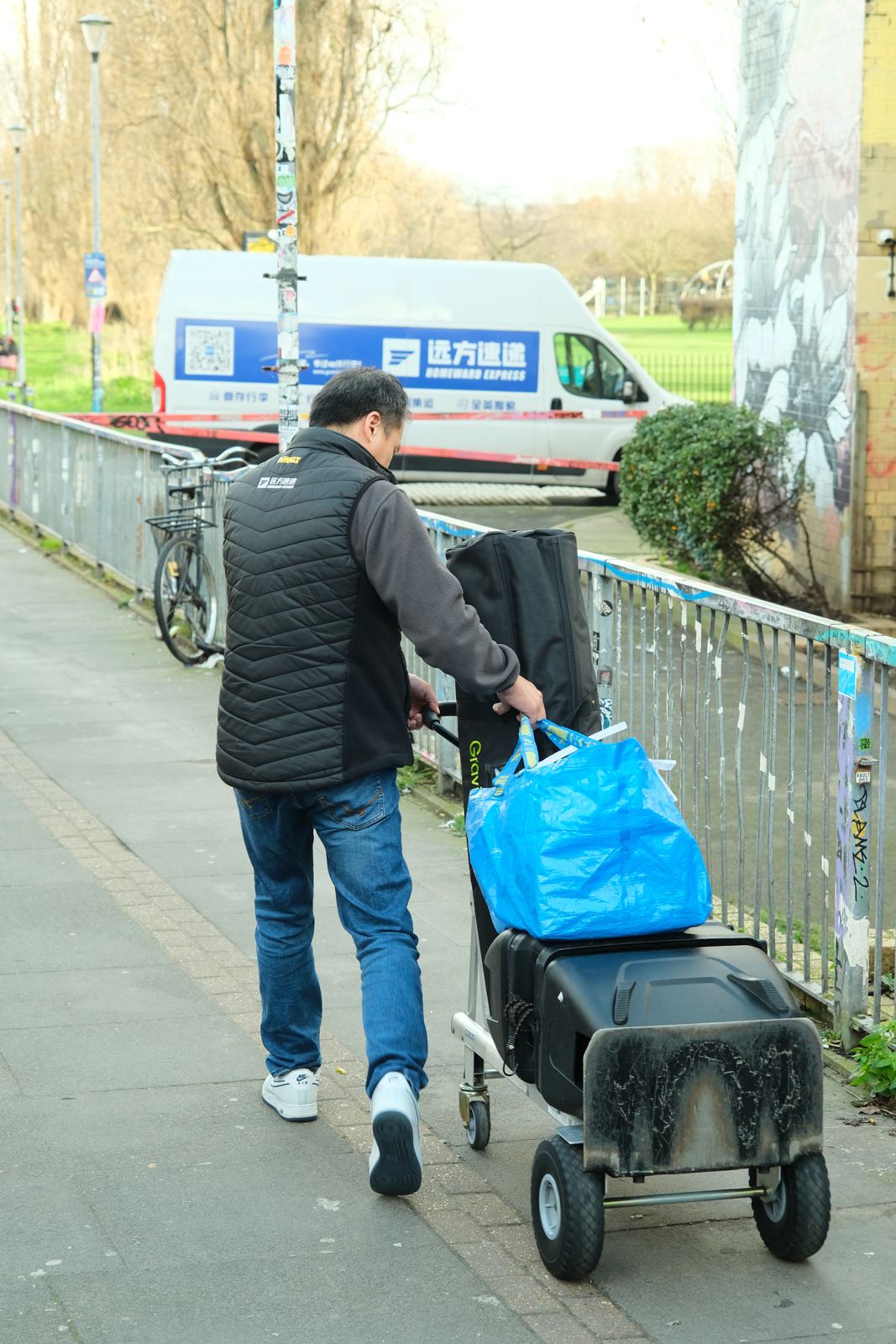
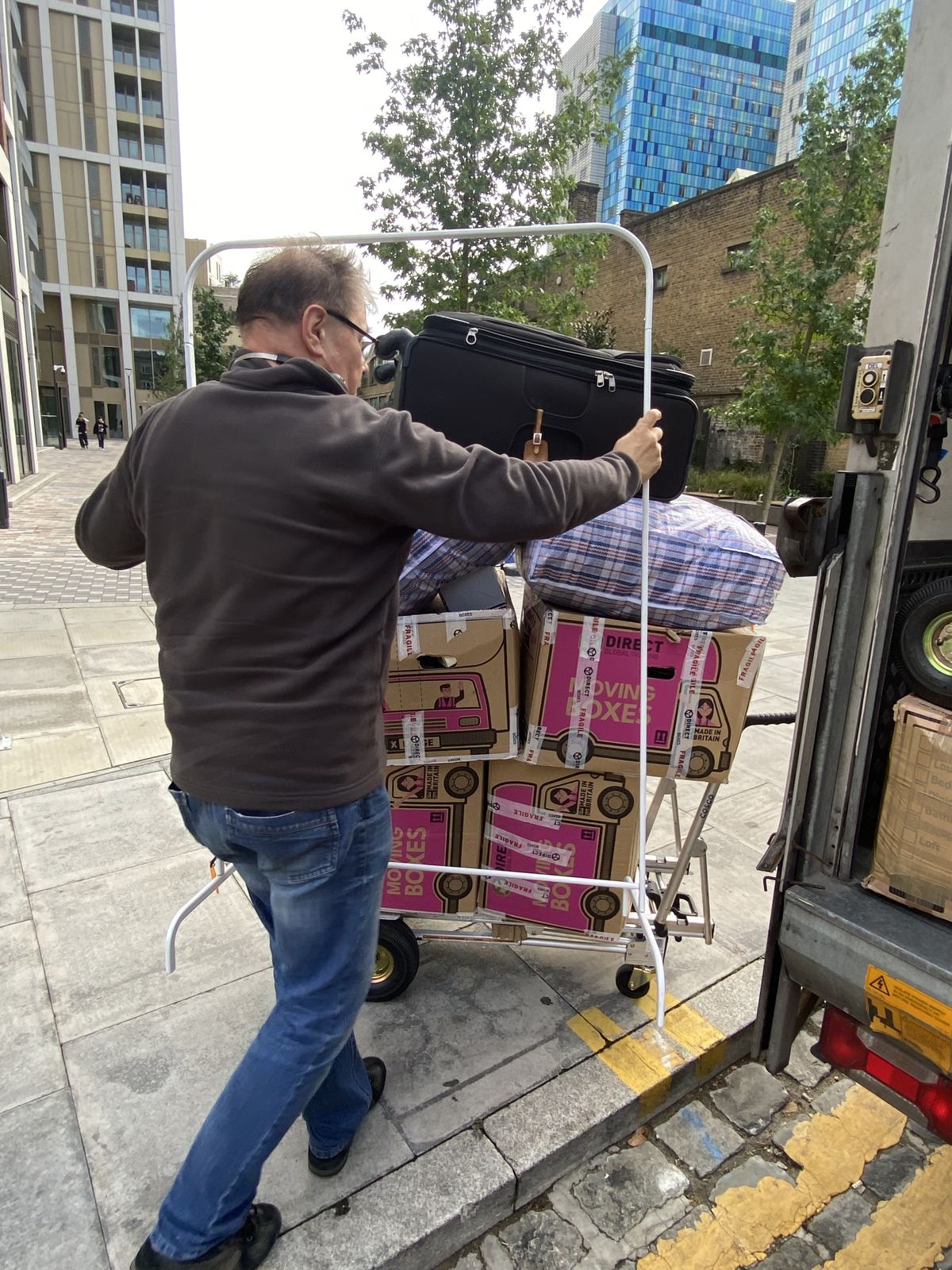
IllustrationOne late stop, and everyone after it starts chasing. When a stop runs over, the calls and messages arrive one after another from every customer still waiting.Nowhere to stop. On roads like this the van can't wait outside, so everything goes the last stretch by trolley, and the stop runs long.
03 Research · Key insights
What the fieldwork changed.
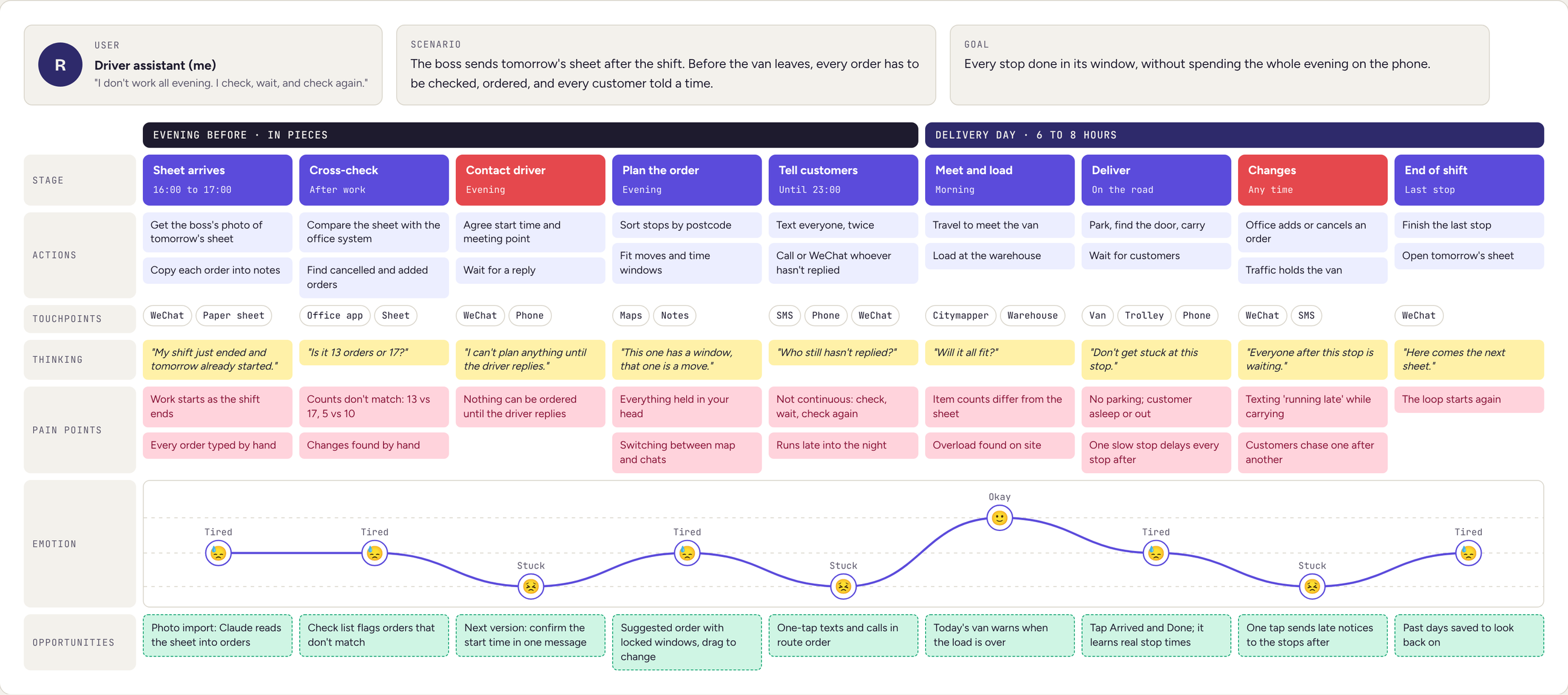
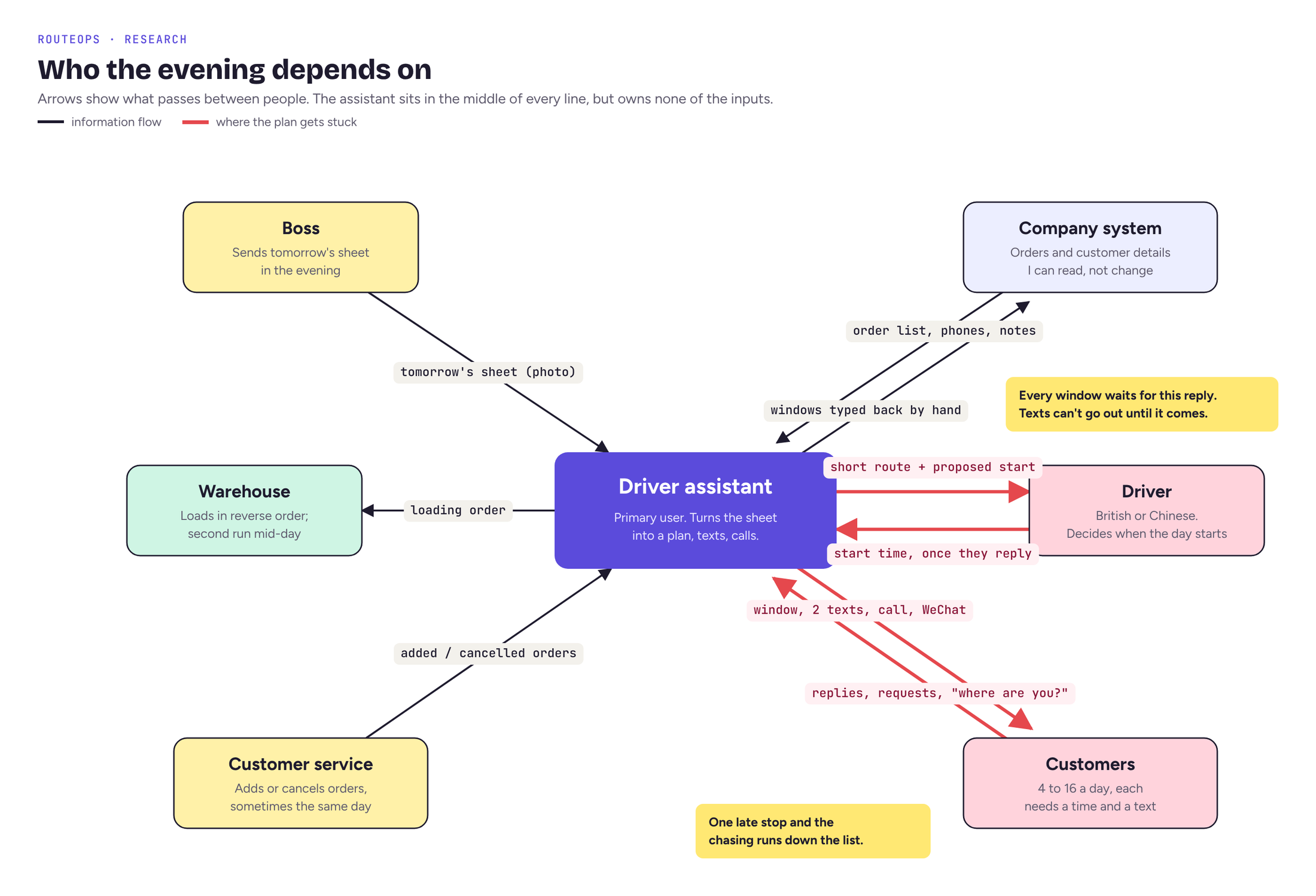
I mapped nine stages using notes from the fieldwork and reconstructed working days. The journey map shows where work stalls; the relationship map shows whose confirmation is needed. Together they led to three requirements.
Keep the preparation together.
Orders, route planning and contact progress need to be visible together, so the assistant does not have to reconstruct the day across several tools.
Make confirmation visible.
A suggested route is not yet an agreed plan. The driver must confirm the start before customers can receive their arrival windows.
Separate a delay from a broken promise.
A later estimate does not always require another message. Notify the assistant when an arrival falls outside the window already given to a customer.
The full journey map. The lowest points are the ones nobody can plan alone: waiting for the driver, and the chasing after one late stop.
The assistant coordinates the work, but relies on others for the start time, order changes and customer replies. The driver and customer conversations became the focus of the tool.
04 Design opportunity & MVP
How can an assistant prepare the route, agree the start and contact customers in one workflow, while keeping the company system unchanged?
Read-onlyThe company system stays the source of truth.
I decideThe app suggests an order; I confirm it.
One tap at a timeTexts and calls line up in turn.
Calm, not a stopwatchWarn only when a window is at risk.
From my shifts to rules.
Field observations became specific planning rules. These are assumptions built into the first version and checked against the reconstructed days.
A stop takes longer than the carrying: parking, finding the door, waiting.Every stop gets 9 minutes before any carrying, plus time per item and for stairs.
Customers hate a window that moves.Each customer gets a wide window, locked once the first text goes out.
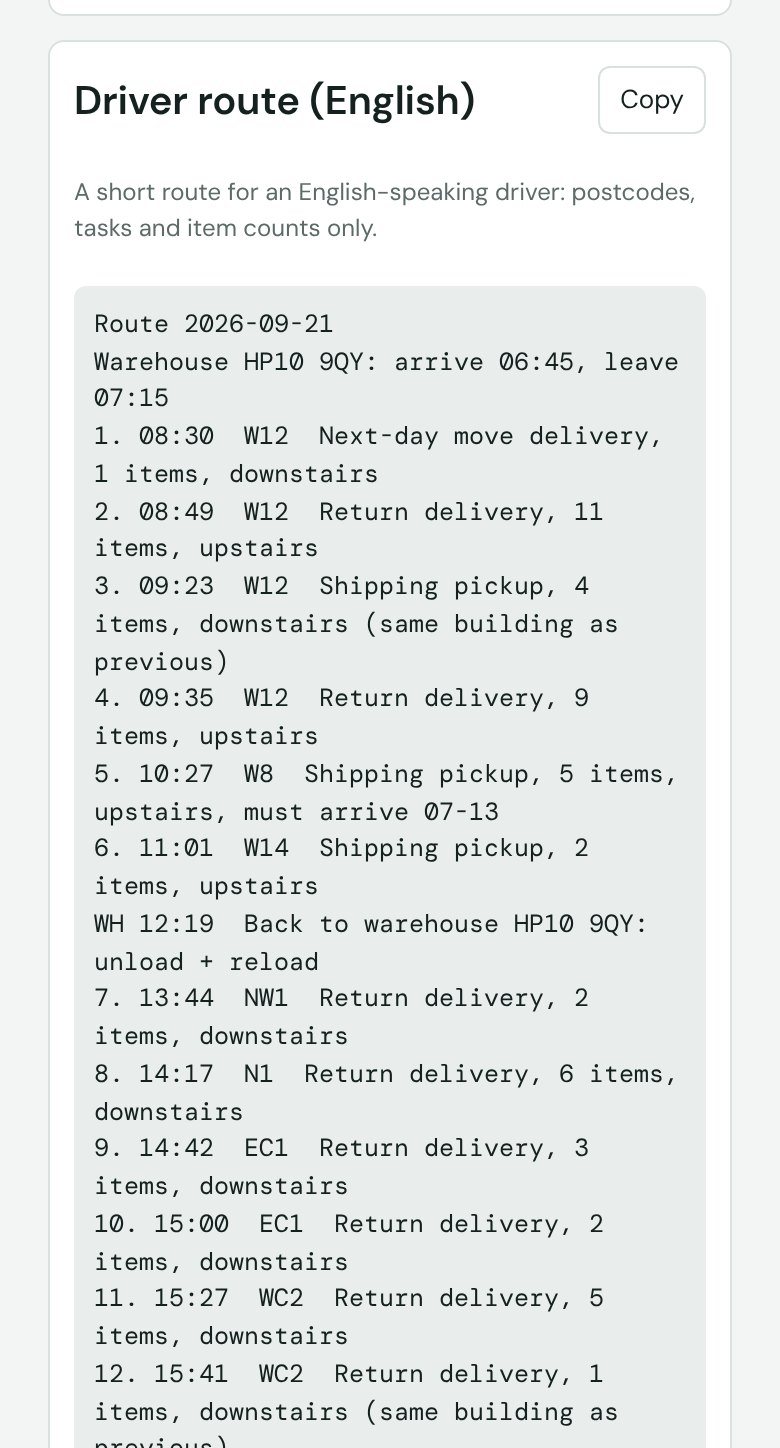
Some drivers are British and don't read Chinese.A short English route: postcodes, tasks and item counts only.
Some buildings need a booked loading bay.An address book remembers it and adds it to that customer's text.
Texting sixteen people one by one is the most tiring part.Texts and calls line up. One tap sends, and the next person is ready.
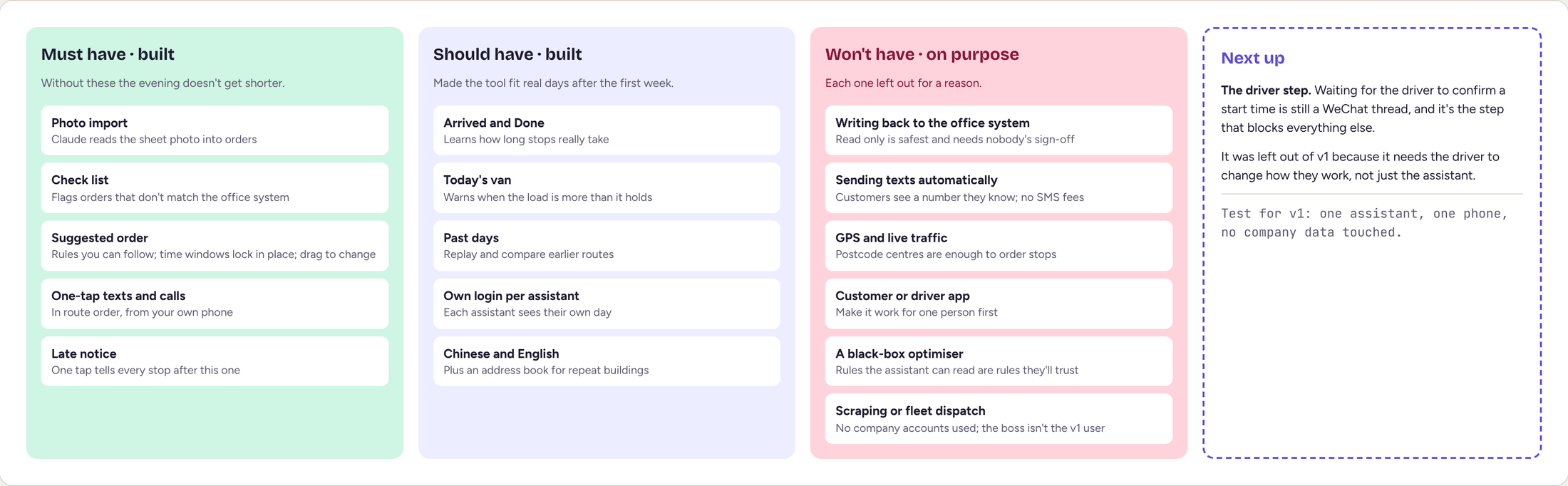
What v1 does, and what it leaves out on purpose. The test for every feature: one assistant, one phone, no company data touched.
05 Solution · From orders to a plan
From orders to a plan.
AI reads the order image. The assistant checks the result, adjusts the suggested route, agrees the start with the driver and sends each customer notification.
MeUpload the day
A photo of the boss's sheet, or a screenshot of the company's order list.
ClaudeRead every order
Type, postcode, items, stairs, time slot, notes, and which run it belongs to.
MeCheck the list
Nothing is used until I have checked and fixed what was read.
RulesSuggest an order
Moves, special slots and warehouse runs are placed. I can drag to change it.
Me + driverConfirm the start
Send the driver a short English route and agree the first stop's time. Every window is worked out from it.
MeTell customers
Each customer gets a window. Texts and calls line up, one tap each, with replies tracked.
MeOn the road
“Arrived” and “Done” at each stop. Later windows update, and late notices are drafted.
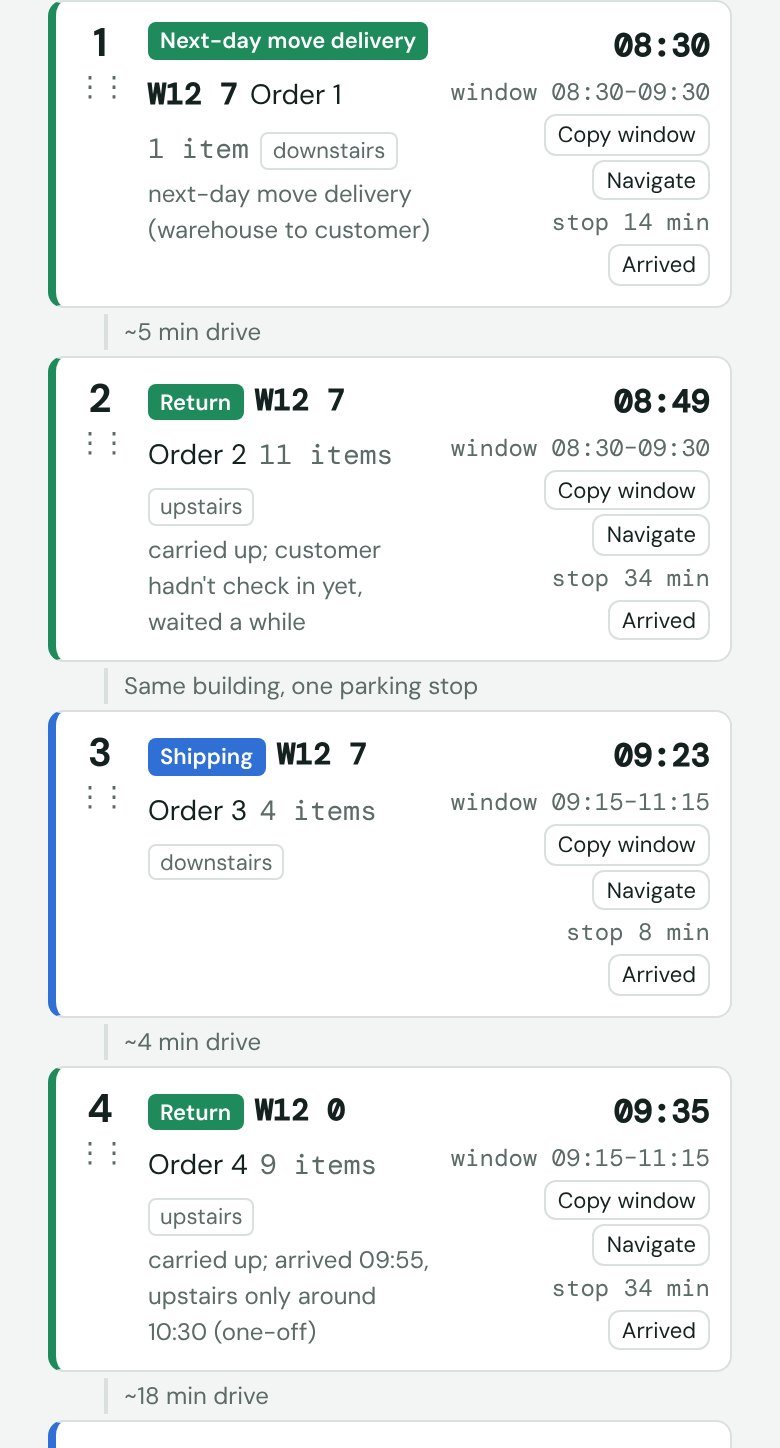
Suggested orderStaff see estimated times; customers receive wider arrival windows.
Driver routeA short English summary helps the driver confirm the start.
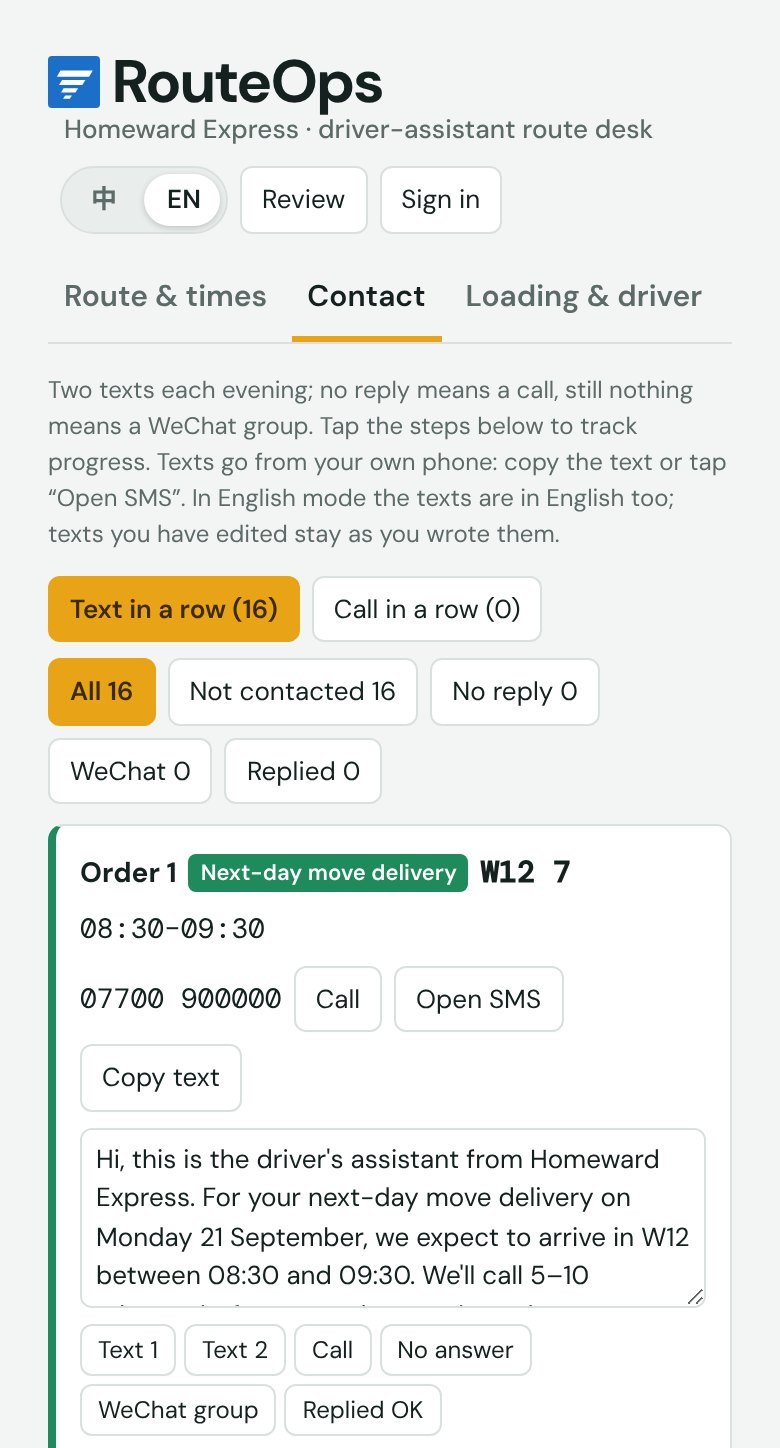
ContactDrafts and reply status stay together, with each message sent separately.
On the roadThe current stop takes priority over the rest of the route.
Feature 01 · Communication
One place for every customer.
Telling sixteen customers their window used to mean opening each order, finding the number, writing a text, switching back and remembering who had replied. RouteOps drafts every text from the confirmed route and keeps who has been contacted, who hasn't replied and who needs a call in one list.
I kept sending as a separate action for each customer. A prepared draft removes repeated typing, while the assistant can still check the time and any special request before sending.
Before, for each customer
Open the order
Find the number
Write the text
Switch back
Repeat
With RouteOps, once a day
Check the route
Texts drafted
Send, one tap each
Track replies
Feature 02 · Personal mobility
Plan beyond the van.
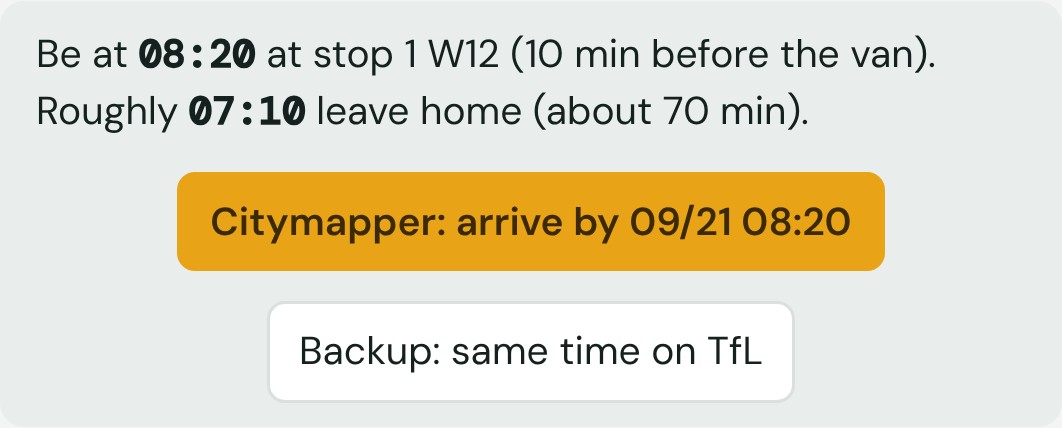
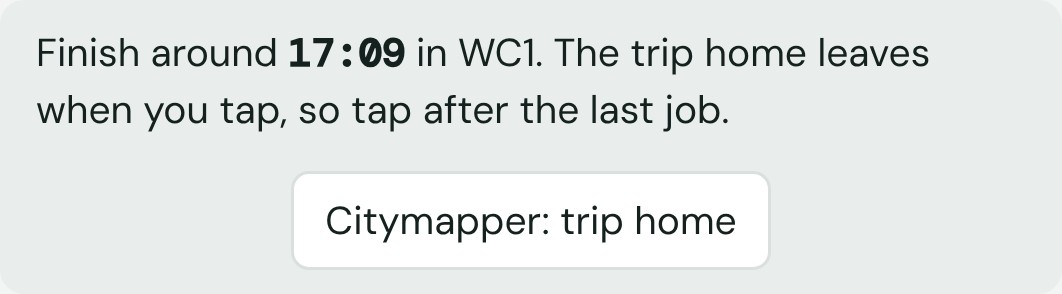
The route starts at the van, but a driver assistant's day starts at home, and the first stop is somewhere different every day. RouteOps already knows where it is and when the van gets there, so one tap opens Citymapper with the destination and the arrive-by time filled in. At the end of the day, another link plans the trip home from the last stop.
The evening before When to leave home for tomorrow's first stop.After the last stop The trip home, from wherever the day ends.
Detailed times for planning. Reliable windows for customers.
Inside the app every stop has an exact time. Customers get a wider window instead, which is locked once the first text goes out. If the day slips past a window, RouteOps drafts an apology with the new time, and only asks again if the delay grows by another 15 minutes.
My morning, 21 September
Driver at the warehouse to load
I leave home (Citymapper link)
I am at stop 1, before the van
Stop 1, W12
Stop 2, same building
Both customers are told
08:30–09:30
A window that still holds if the first stop runs long.
Iteration · 20 September replay
A shorter route kept a move on board for too long.
What went wrong
The first version scored a route by driving time and missed slots only. On 20 September it collected a move in SW11 early, kept the customer's things in the van through other stops, and arrived at the next booked move hours early. On paper it saved driving. No driver would do it.
How I found it
Replaying the day next to what we really did. We picked the move up, made one stop on the way, and delivered it.
What changed
Three rules: don't arrive at a move long before its booking, don't pick up a second move while one is on board, and allow at most one stop between a move's pickup and delivery.
Result
The suggestion now handles the move the way we did, and still comes in at 205 minutes against my 220. The other days' suggestions didn't change.
The constraints behind the route.
The replay exposed constraints that driving time alone could not capture. I added them to the planning rules, alongside the changes needed during a working day.
MovesA move has a pickup and a delivery.
The delivery can't come before the pickup, a move isn't collected long before its booking, and it never shares the van with another move.
WarehouseThe second run.
Some days the van goes back to High Wycombe mid-day to unload and reload. Stops never move across that return, because they're loaded there.
DelaysNotices only when they matter.
Running behind but still inside a window needs no message. Past a window, one tap opens a drafted text with the new time.
Office changesOrders added or cancelled mid-day.
Both fit into the route without starting over, and a cancelled order can be brought back.
On paceNothing to do. Carry on.
AheadTime in hand before the next window opens.
Behind, still inside the windowNo message needed yet.
Past a customer's windowOne tap opens a drafted text with the new time.
When the day slips
A plan made the night before rarely survives the day.
Say the first move was planned at 40 minutes and takes 90: a wait for the lift, nowhere to park, extra items. Every customer after it is affected, and the assistant is carrying luggage, talking to the driver and answering calls at the same time.
It doesn't reorder the day by itself or text anyone without me. Changing the plan stays a decision for the assistant and the driver.
Tap “Arrived” and “Done”.The real times replace the estimates, and every later stop is re-timed.
See how far behind.The status line compares the day with the morning's plan and with what each customer was told.
Tell only who needs it.Customers whose new time falls outside their window are listed, each with an apology and the new time already written. One tap opens each text.
No repeat messages.It only asks again if the delay grows by another 15 minutes.
Learn the real pace.After eight stops it compares my real times with its estimates and suggests new settings, so later windows fit how fast we really work.
When a step is not complete.
The workflow needs to show what still requires attention, as well as what is ready to do next. These are the existing checks and follow-up steps.
An order image needs checking
The assistant checks the extracted list before using it to plan. Job type, postcode, items, stairs and time limits can be corrected at this stage.
The start is not agreed yet
Use the English route summary to agree the first stop with the driver before sending customer windows. A suggested time is not presented as a confirmed promise.
A customer has not replied
Keep the contact record visible. After the two texts, the next step is a call; unresolved contacts can then move to a WeChat group.
What fits in the back.
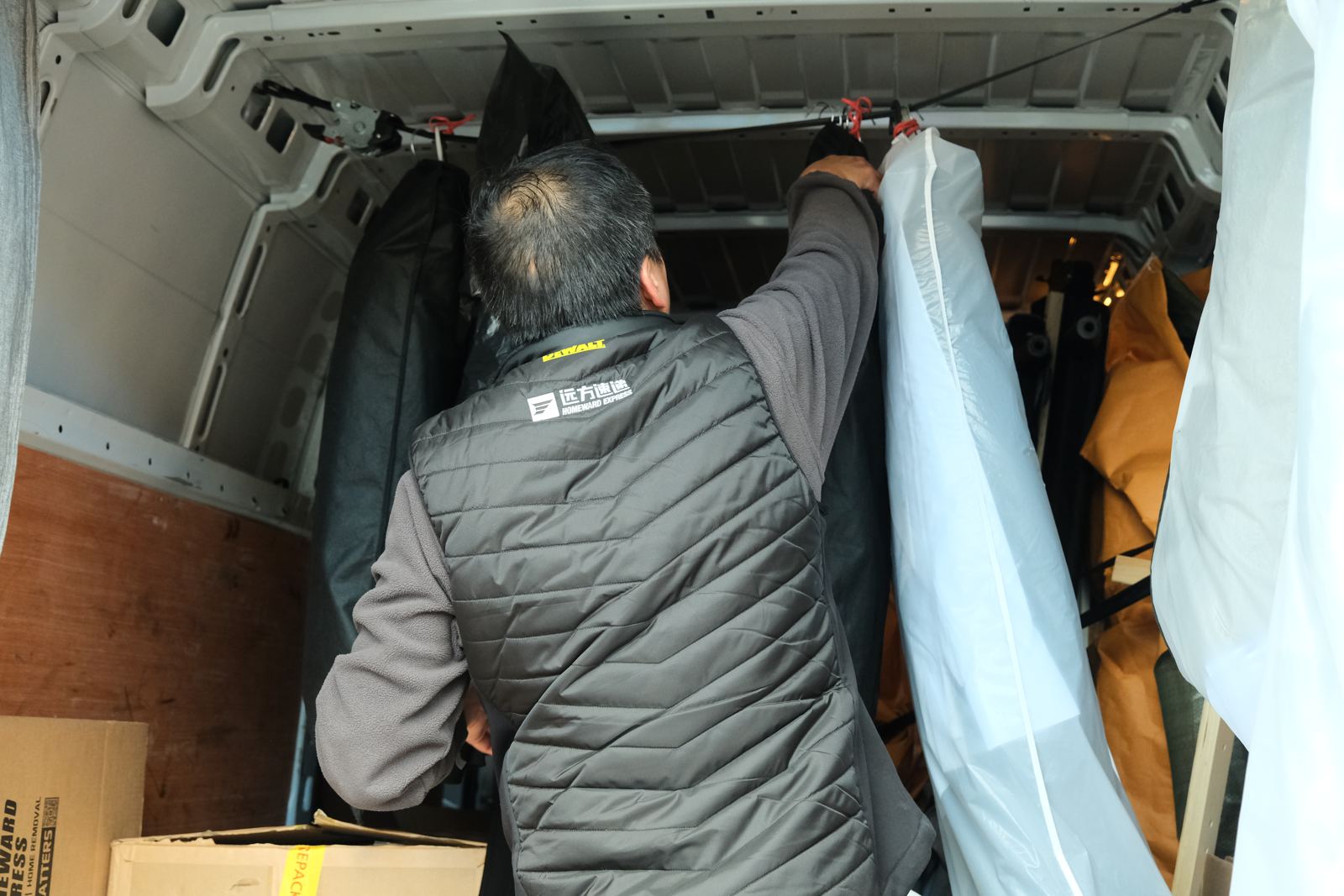
The planner has to know when a van is full, so it carries a rough capacity for each van I worked in. Hover the company van, or tap it, to see one full load.
Hover the van to look inside
Not everything is a box. Garment bags hang from a strap across the roof, so they count for space but not for floor.Bigger moves go in the Luton. A trolley of boxes and bags wheeled to the back of the van.
06 Testing · Real-day replays
Eight days I really worked, replayed.
I rebuilt eight days between 15 and 28 September from my own records, with customers reduced to postcode districts, and compared the suggested order with the order I actually drove.
My real orderRouteOps suggestionestimated city driving, minutes
6 orders
7077
7 orders
138136
5 orders
153153
10 orders
220205
16 orders
218210
15 orders
155155
4 orders
191191
4 orders
177177
On seven of eight days the suggestion was as short as my route or shorter. On 15 September I beat it, 70 against 77, by dropping a delivery on the way while a move was in the van.
40/58
pairs of neighbouring stops in the suggestion were the same as in my real order.
7/8
days where the suggested driving was no longer than mine.
218
minutes for my order on 21 September, against 226 for the order on the boss's sheet.
67
orders across the eight days, with no customer names, phones or addresses kept.
Limits. Driving times are estimates from postcode-district centres, not GPS. The replays check the planner against my own decisions; they don't prove it beats an experienced driver.
07 Try it · The complete flow
The whole evening, in one place.
Receive the sheet · Check it · Plan the route · Contact customers · Use it on the day
Customers are reduced to postcode districts and phone numbers come from the UK range reserved for drama. Tap around: reorder stops, open a stop, tick off texts, or switch to 中文.
08 Impact & reflection
A week's trial, then everyone's evening tool.
After the replays I used RouteOps on my own shifts for a week. Then the other driver assistants started using it, each with their own account, and two of the Chinese drivers began using it themselves.
7
people use it every working day: 5 driver assistants working with British drivers, and 2 Chinese drivers.
1 month+
in daily use, after a one-week trial.
11 pm
was when planning and customer messages could finish. The tool now brings upload, checking, planning and notifications together; the time saving has not been measured.
0
changes to the company's system. RouteOps only reads from it.
Usage figures are what the team reported to me, not measured by the app.
RoleUser service operations, followed by firsthand fieldwork as a driver assistant in 2026; product and interaction design, planning rules and version testing.
BuildCode written with Claude Code from my briefs. I tested each version and decided what to change next.
What I learntA usable plan depends on more than the route order. It needs a confirmed start, customer availability and a record of what has already been communicated. Those dependencies shaped the interface.
BoundariesThe first version reads order information, keeps customer messages under human control and uses estimated travel times. Driver confirmation and more precise travel data remain areas to develop.
NextA driver's side, so the start time comes back without a phone call. More replayed days, and a real SMS service for sign-in codes.
Route and driving figures come from replayed days. Sign-in codes in the demo are shown on screen instead of being sent by text.