Teams / Outlook / Calendar
Design review
10:30–11:00
Meeting · time already set
02 · UX · Time
A gentler way to plan, focus and find your rhythm.
FLOW brings ambient light to desktop planning. A moving beam replaces the taskbar clock, showing progress without a countdown. When work runs over, extend the block or rearrange what comes next.
Core concept
How might we help people regain a sense of control when their plans are disrupted?
01 The design now
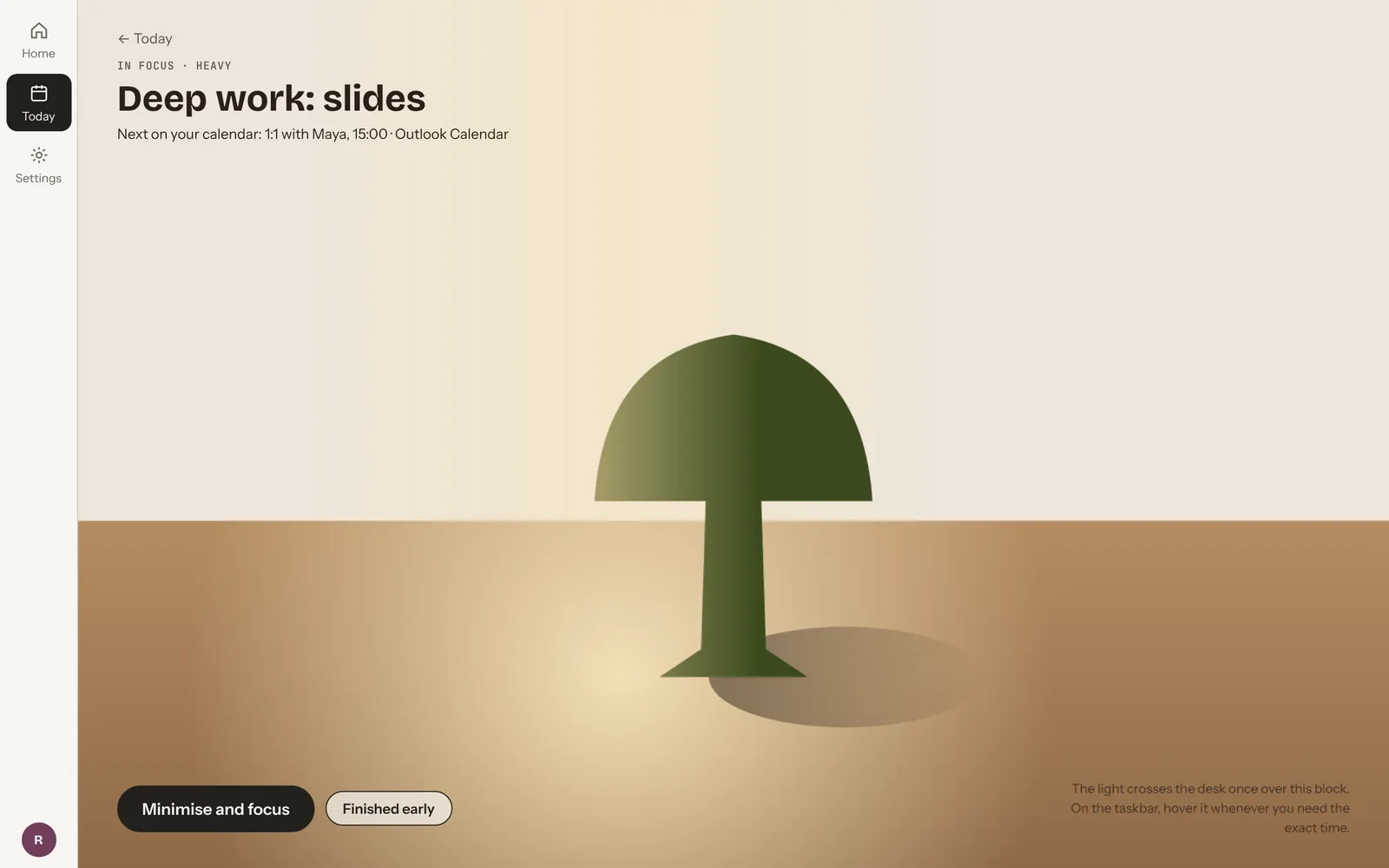
FLOW plans focus work around the meetings already in your calendar. While you work, the taskbar clock is replaced by a small time object: a beam of light moving across a tree-like form.
When the block ends, it asks how it went. Need a bit more extends the block. Not finished leads to a short pause, then the rest of the day is reordered with every task kept.
02 Where it began
FLOW began as a phone concept. Version 1 was researched, designed and tested as a phone prototype. The desktop version is the redesign that followed, built on what Version 1 and its testing showed.
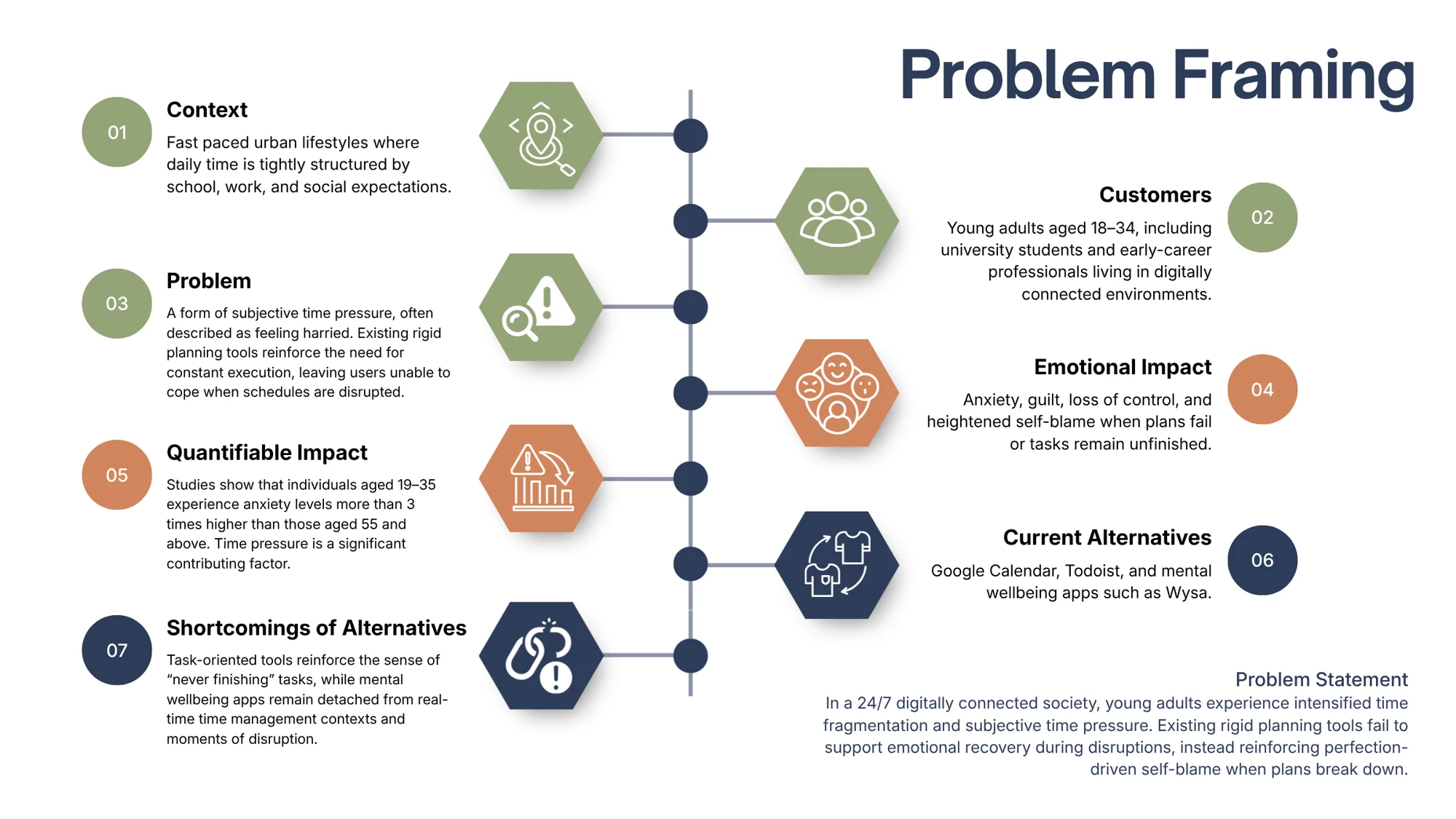
I designed for young adults aged 18 to 34, mostly students and early-career professionals, who already plan their days with calendars and to-do lists. They plan carefully, yet one delayed task can make the whole day feel like a failure.
Most planning tools make this worse. They highlight missed tasks and push for full completion, but give no help with the guilt and loss of control that follow a disruption.
semi-structured interviews, 15 to 20 minutes each, with UK students and early-career professionals aged 21 to 29.
“How might we” questions that framed the design work.
Calendars plan but ignore feelings; wellbeing apps (Wysa, Daylio) track mood but do not help replan.
the age group the secondary research pointed to as most at risk of stress and burnout.
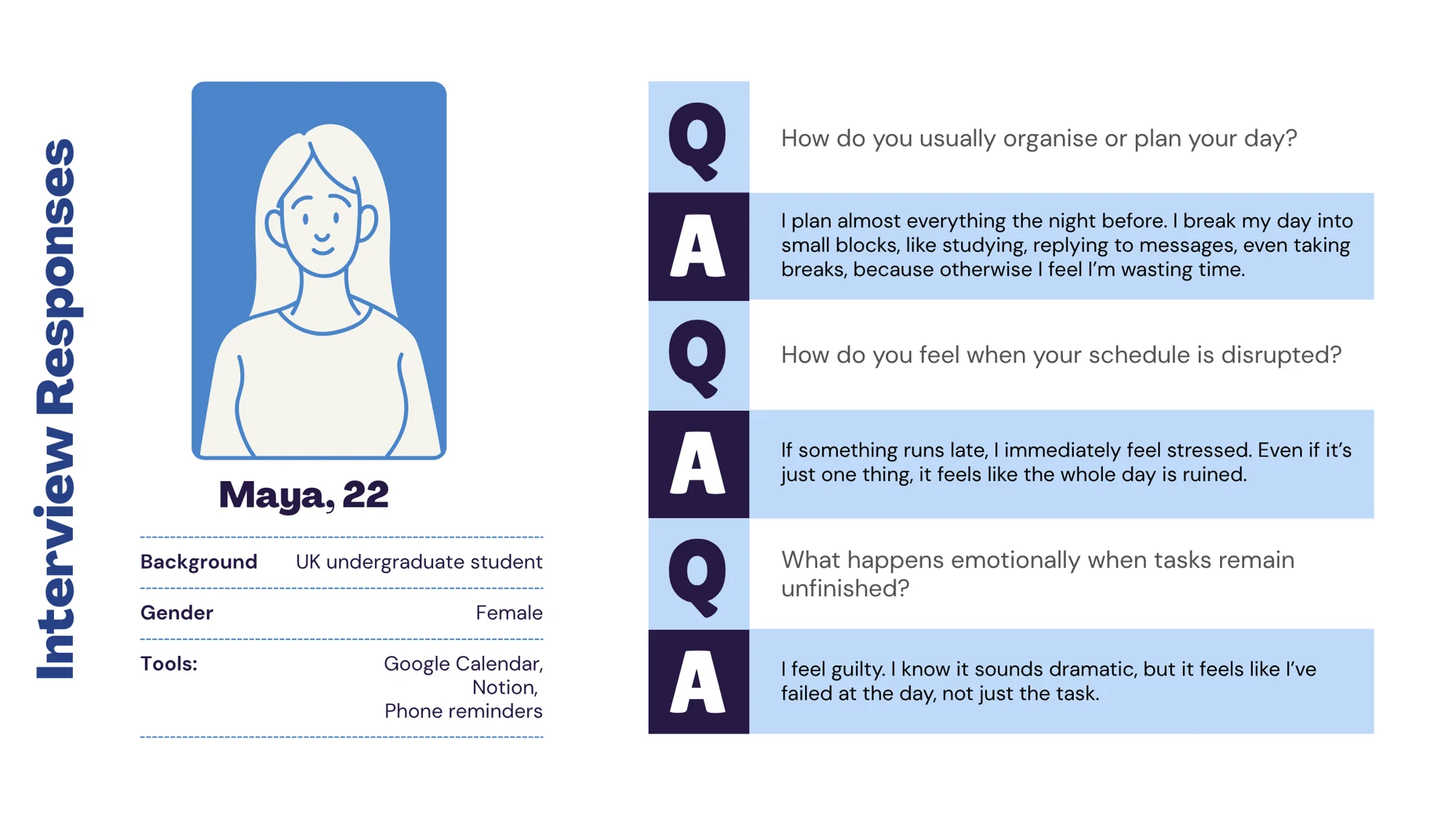
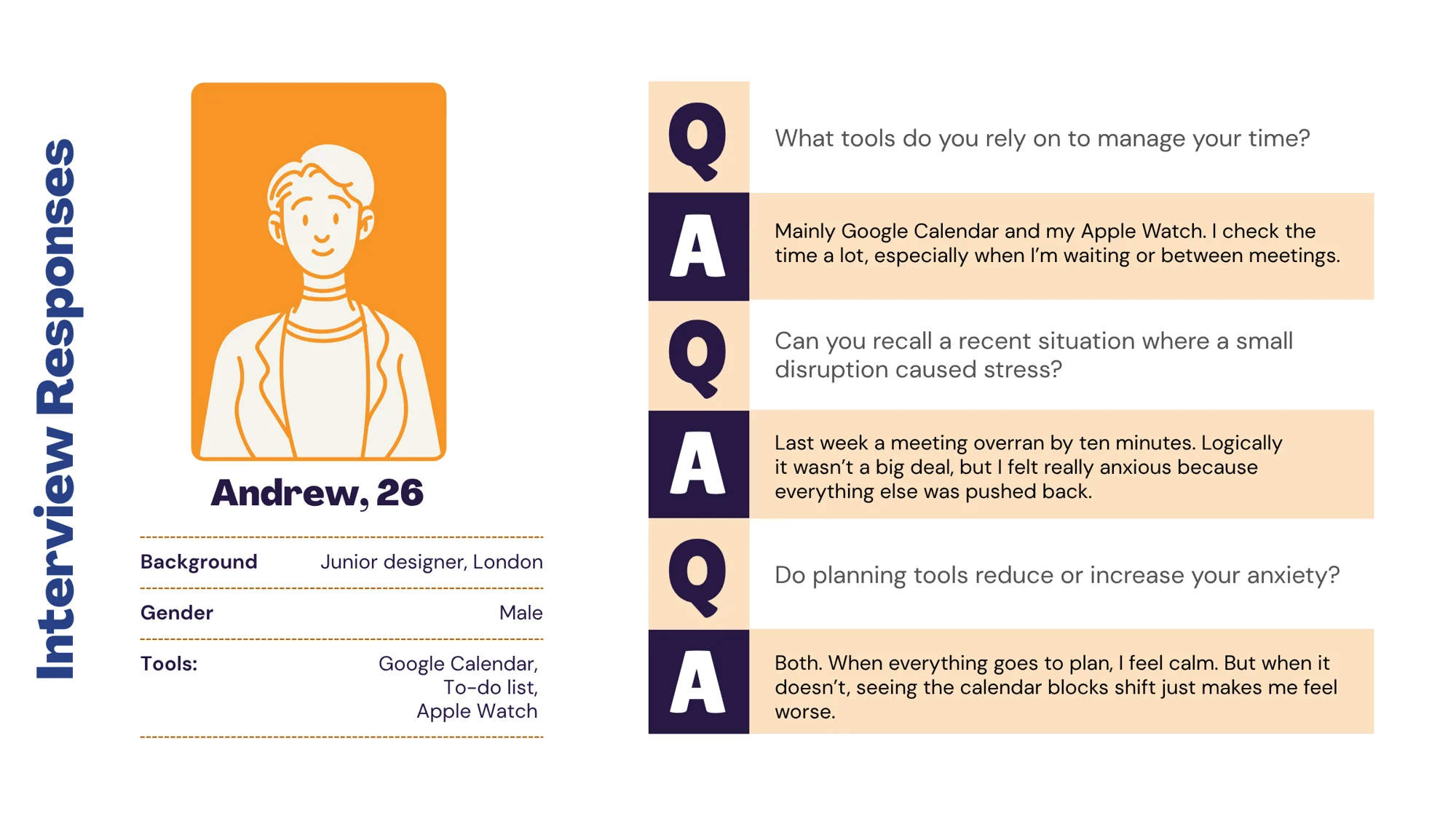
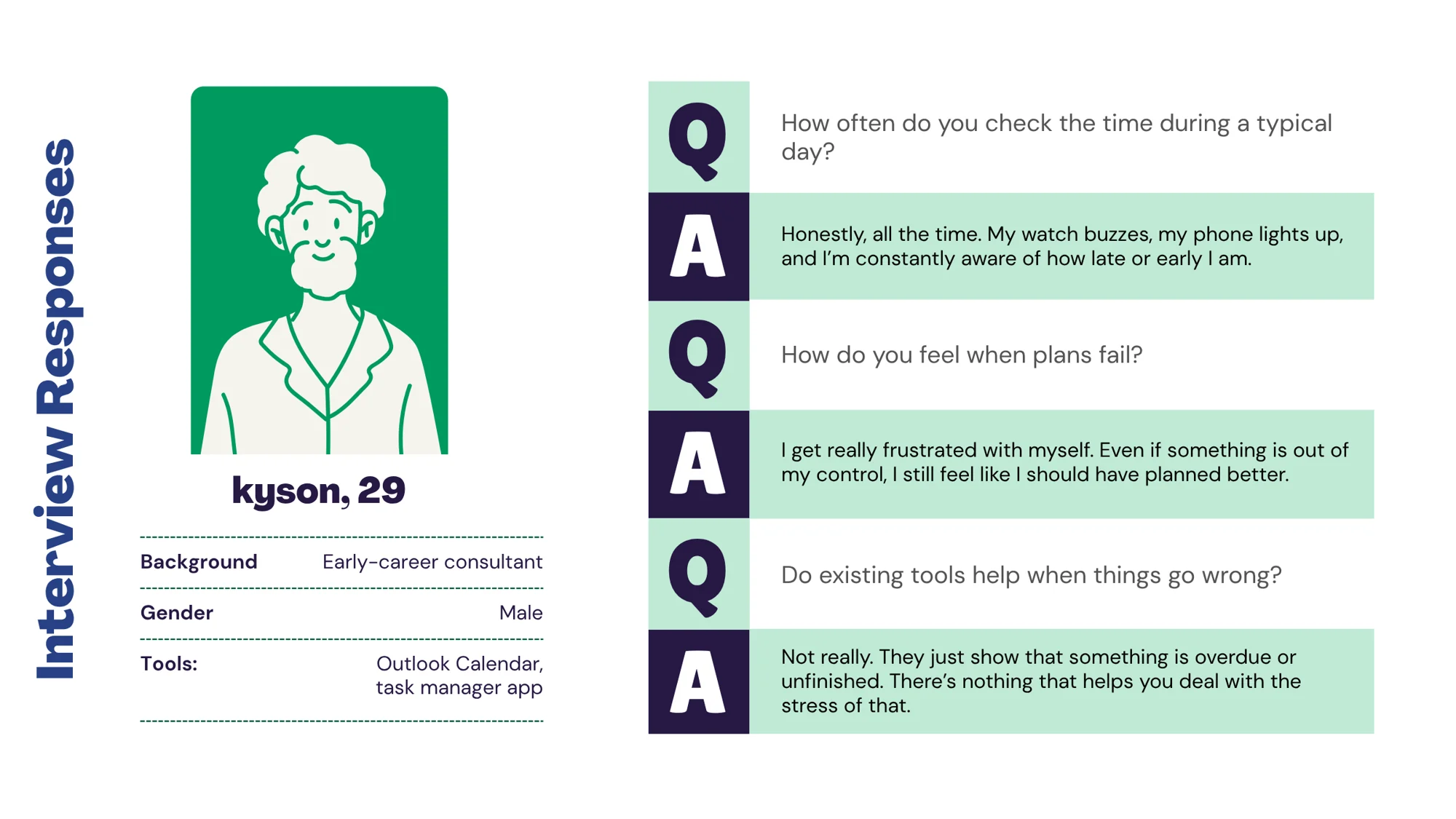
The interviews backed up the reading: the anxiety came from over-planning and from unfinished tasks, not from poor planning.
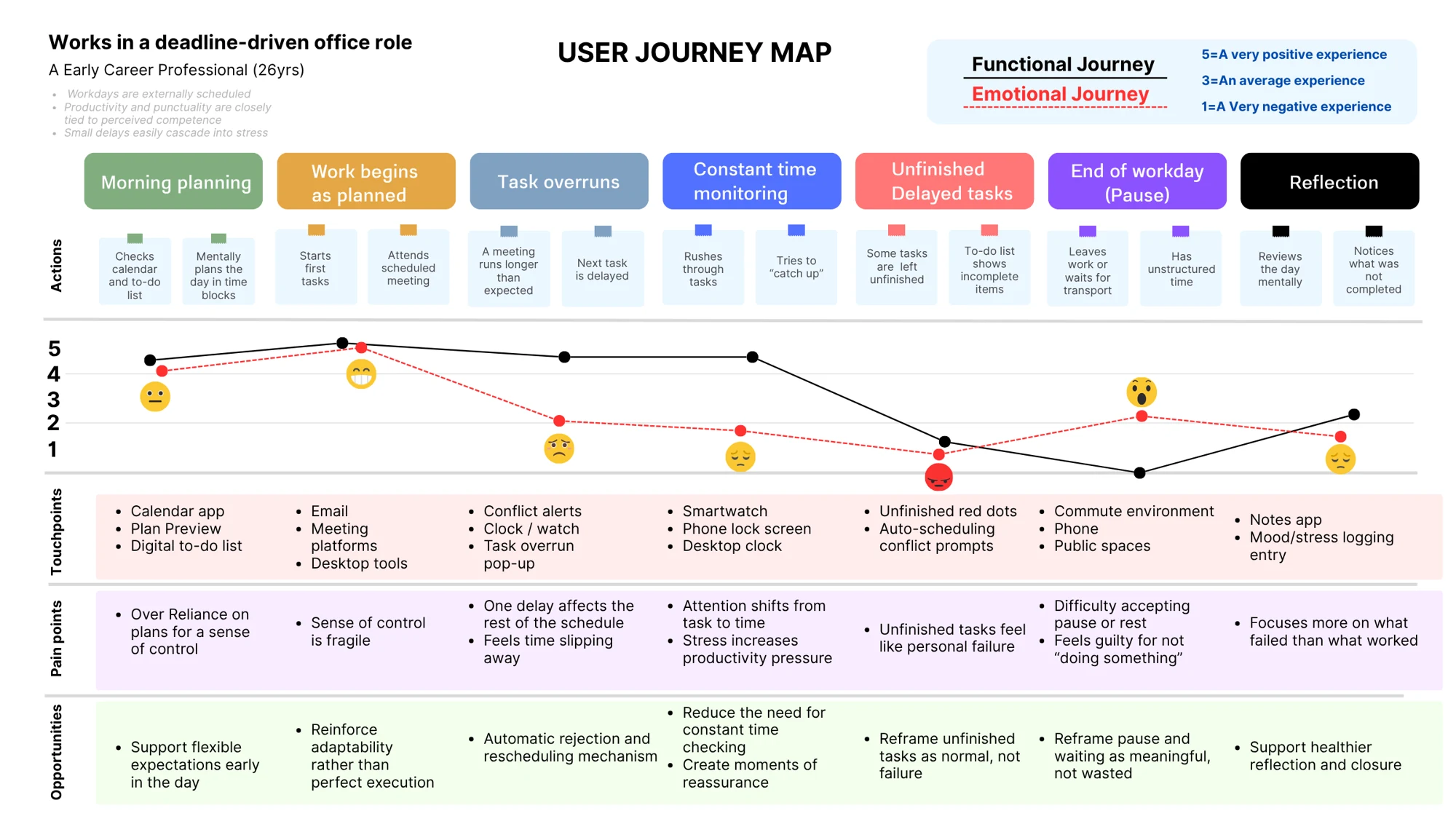
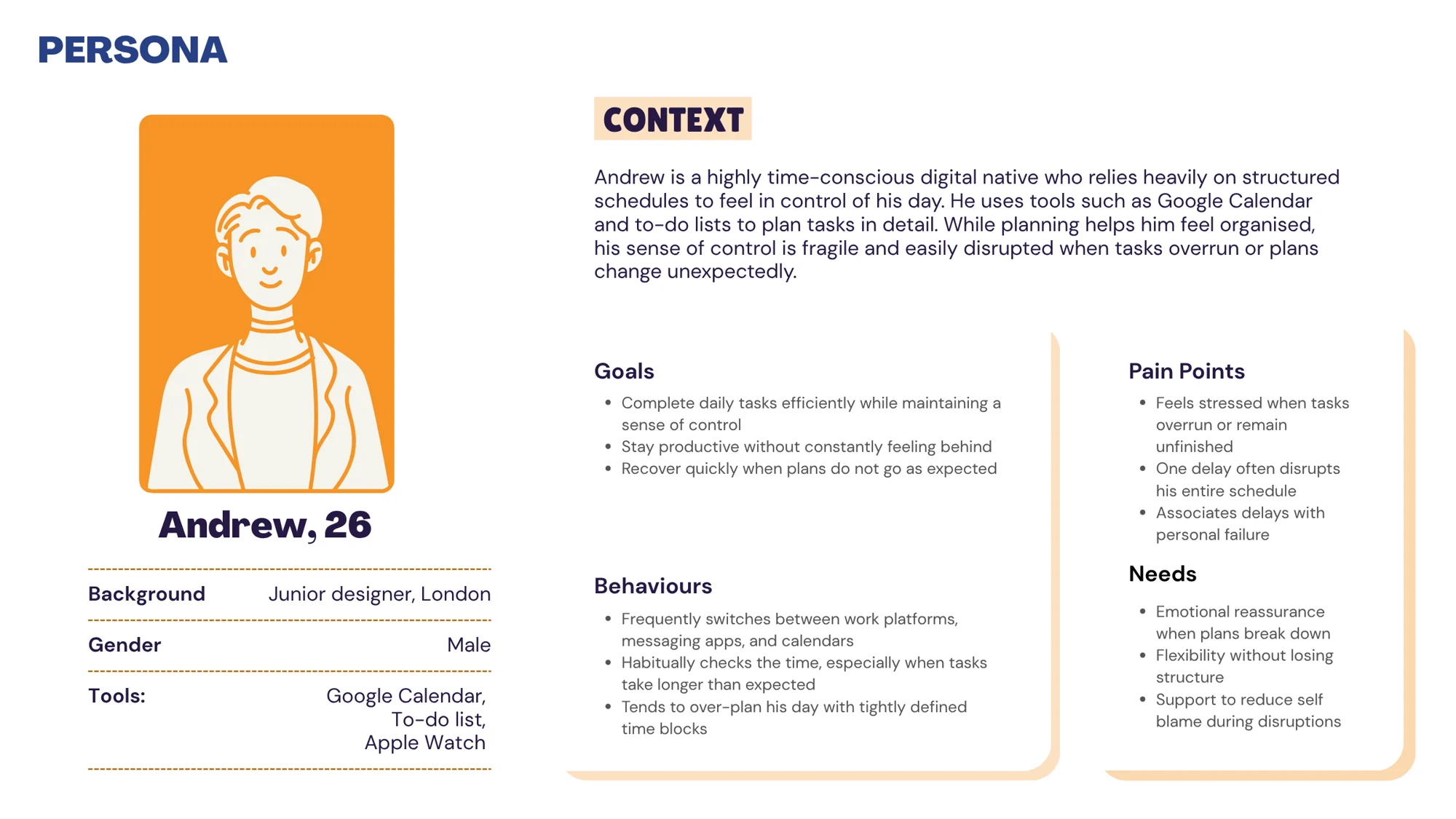
The three interviews came together in one persona, Andrew, 26, a junior designer who over-plans his day in tight blocks and checks the time whenever a task runs long. The journey map followed him through both what he does and how he feels. It showed the key moment: a single overrun makes the rest of the day feel out of control.
So I stopped asking how to make people more efficient, and started asking how to help them recover.
03 Version 1 · Phone
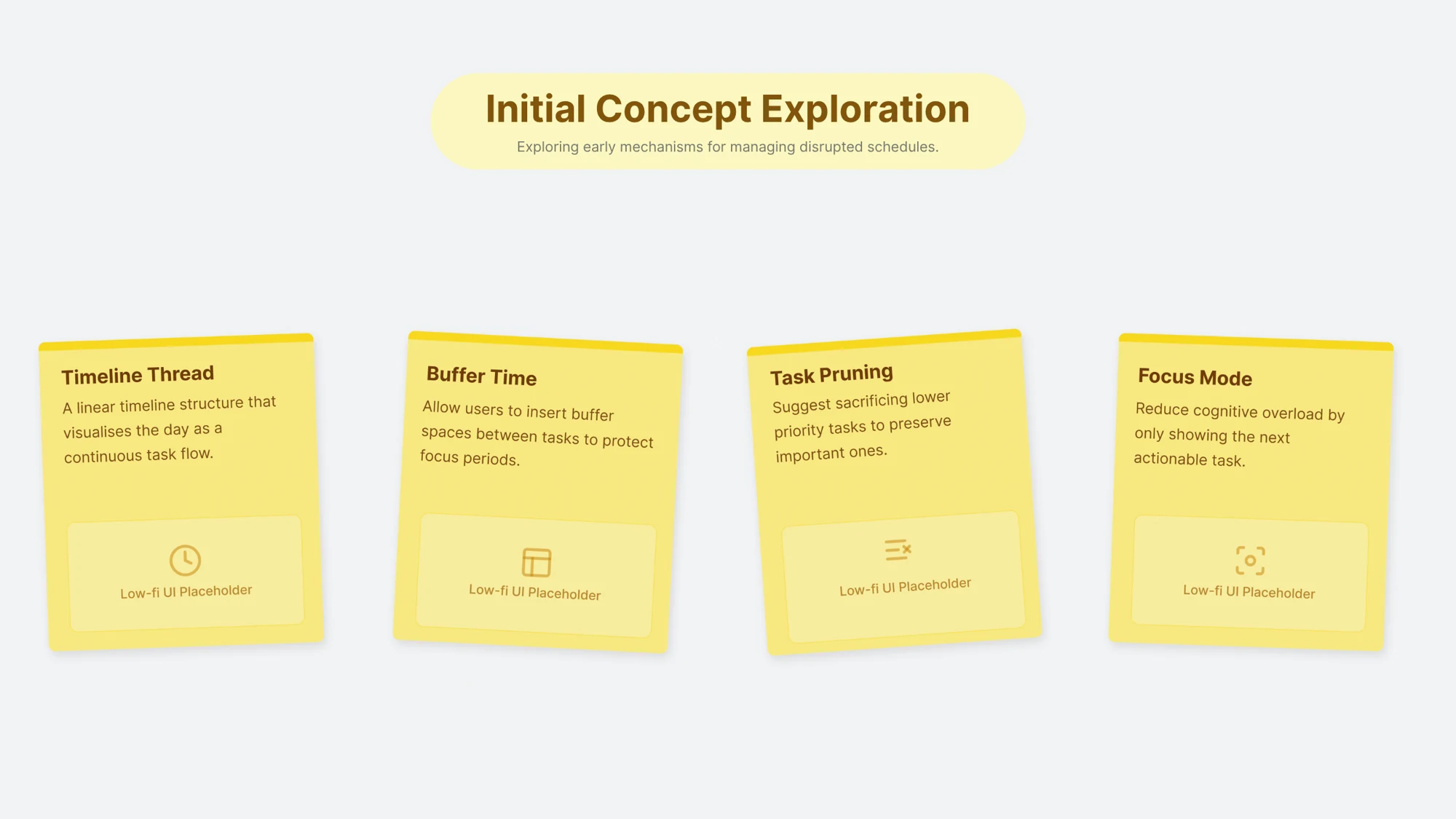
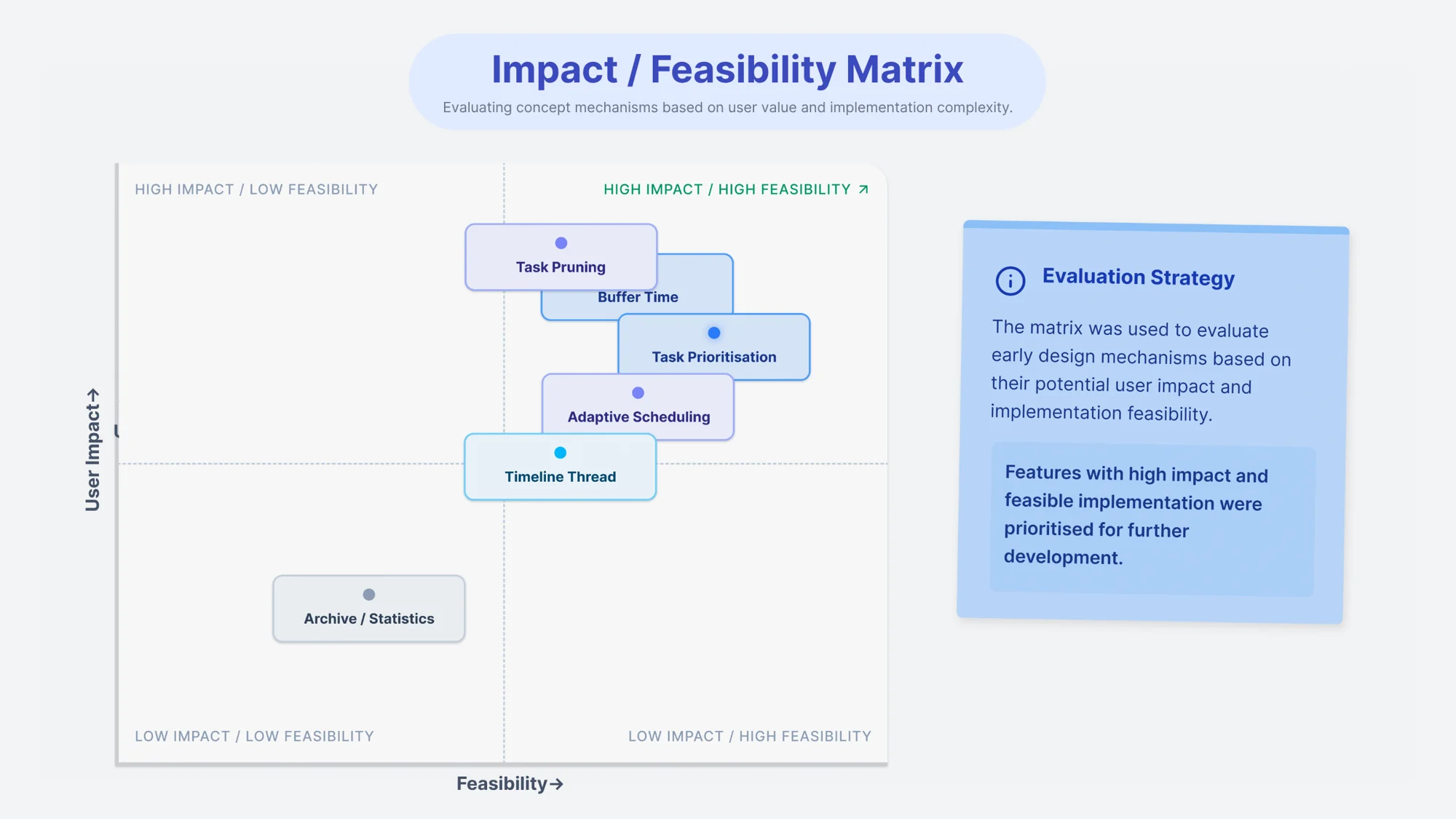
The first ideas tried to fix overload: a timeline view, buffer time, task pruning and a focus mode. Placed on an impact and feasibility matrix, they pointed somewhere else: recovery and user control mattered more than efficiency or tracking.
Version 1 · Phone prototype
The phone prototype I tested. Pick a step, or let it play.
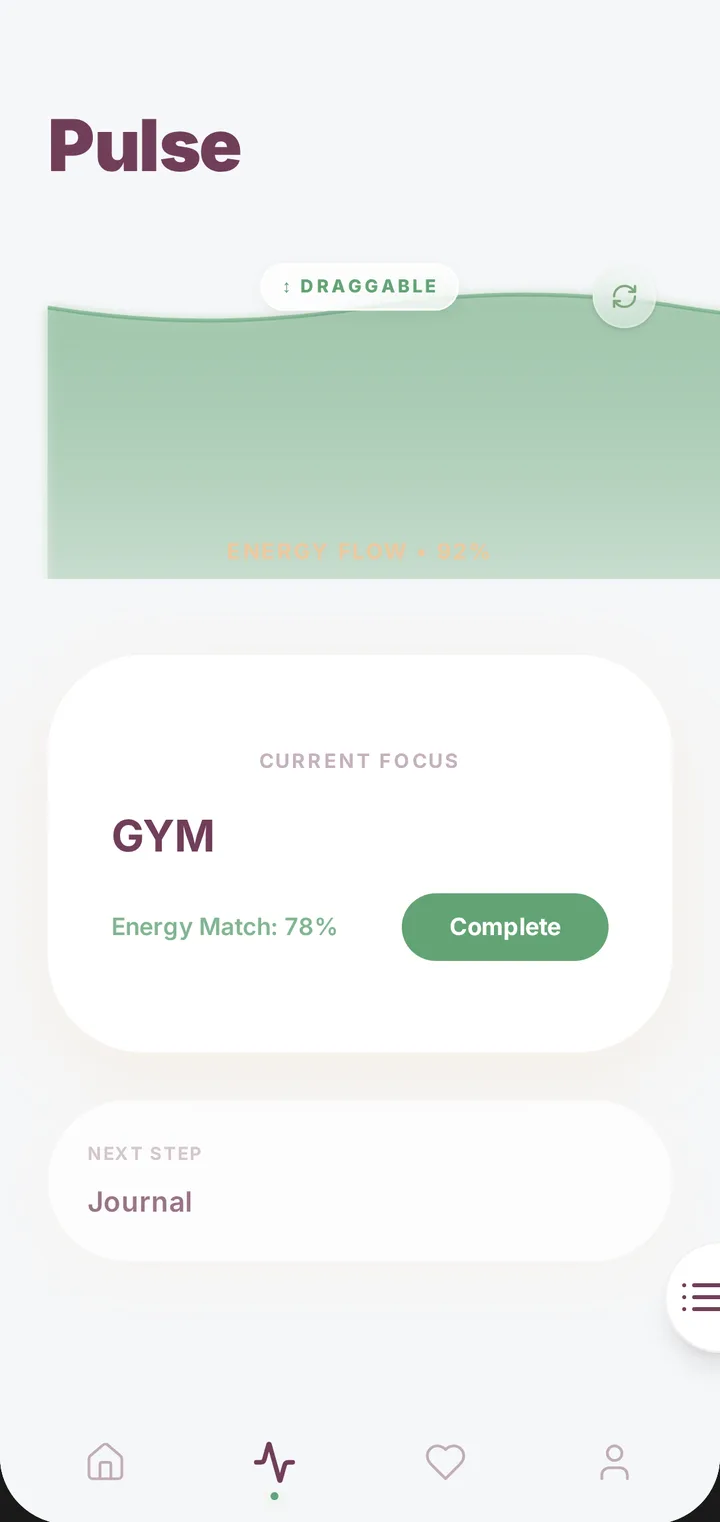
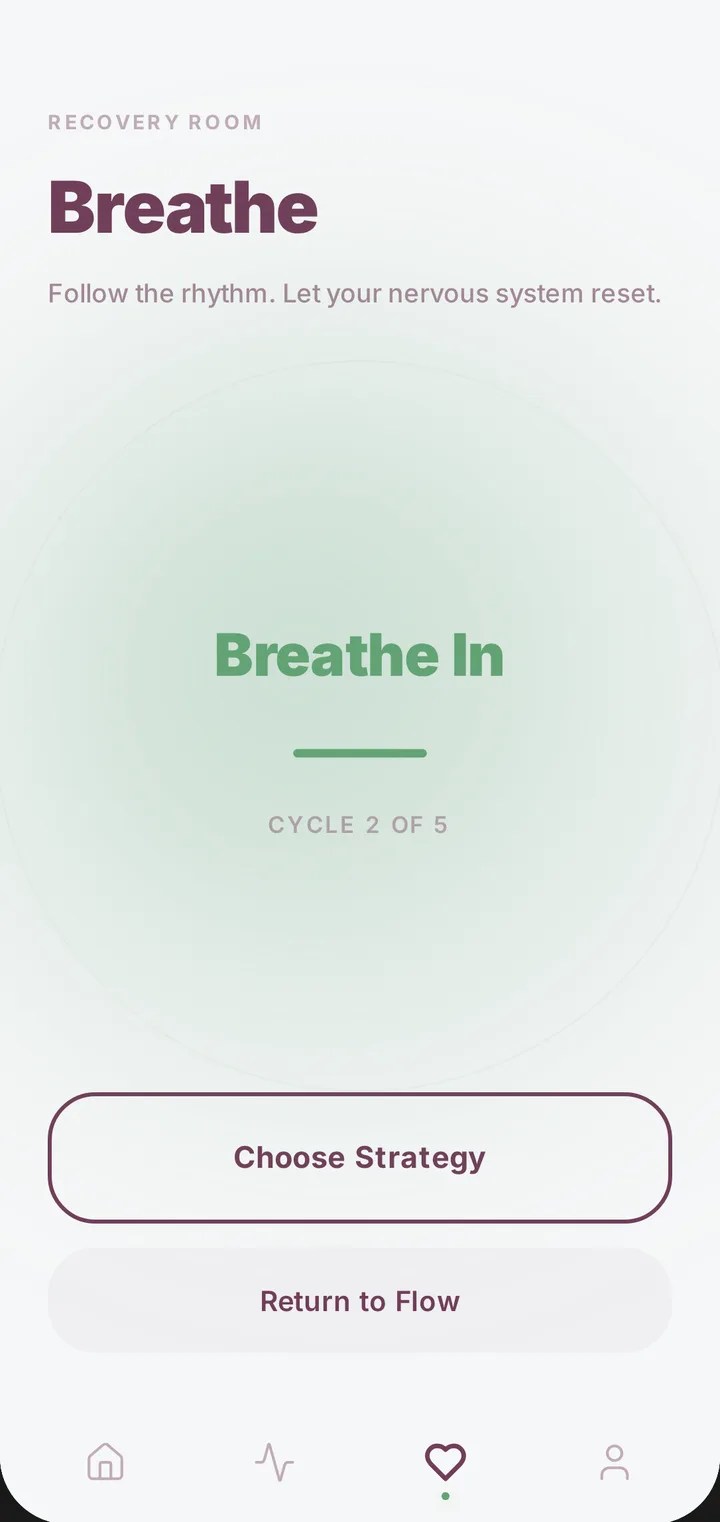
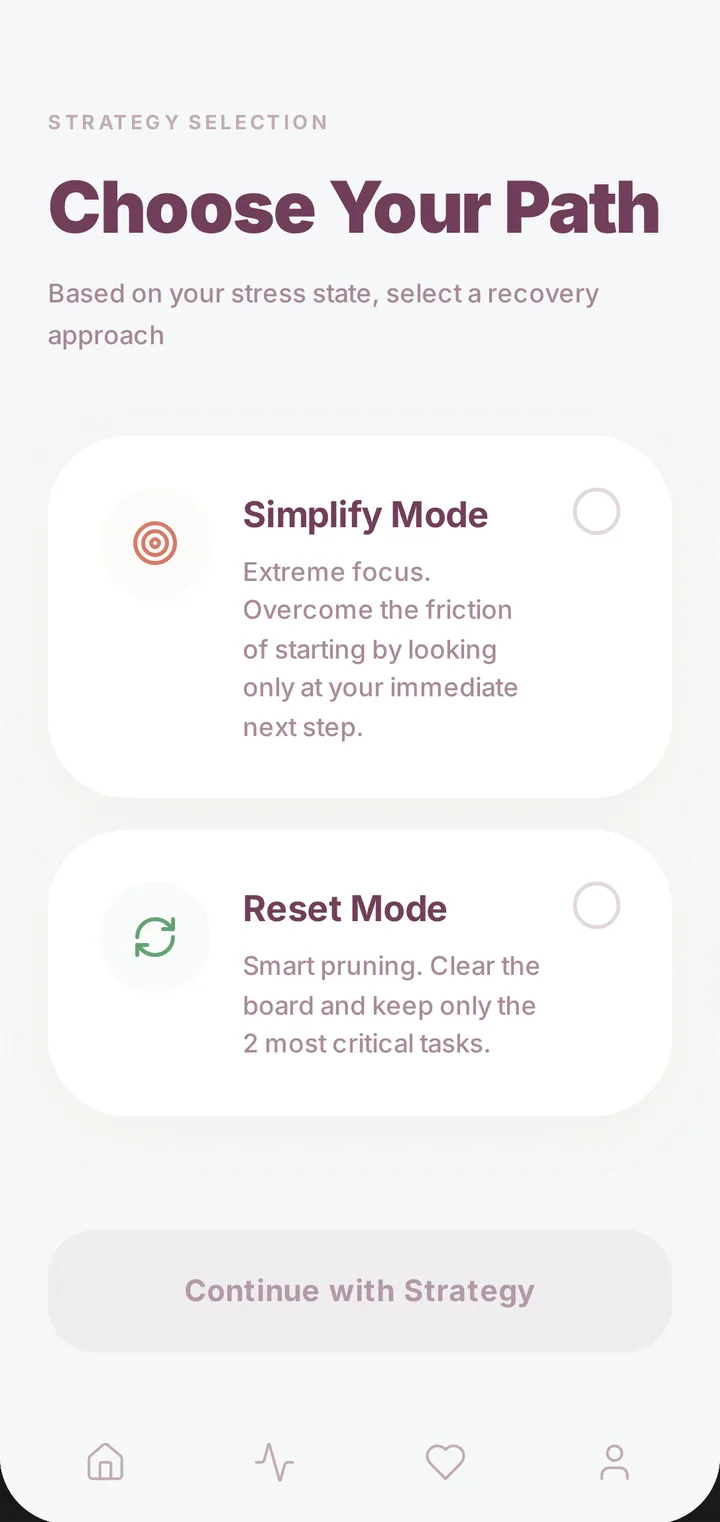
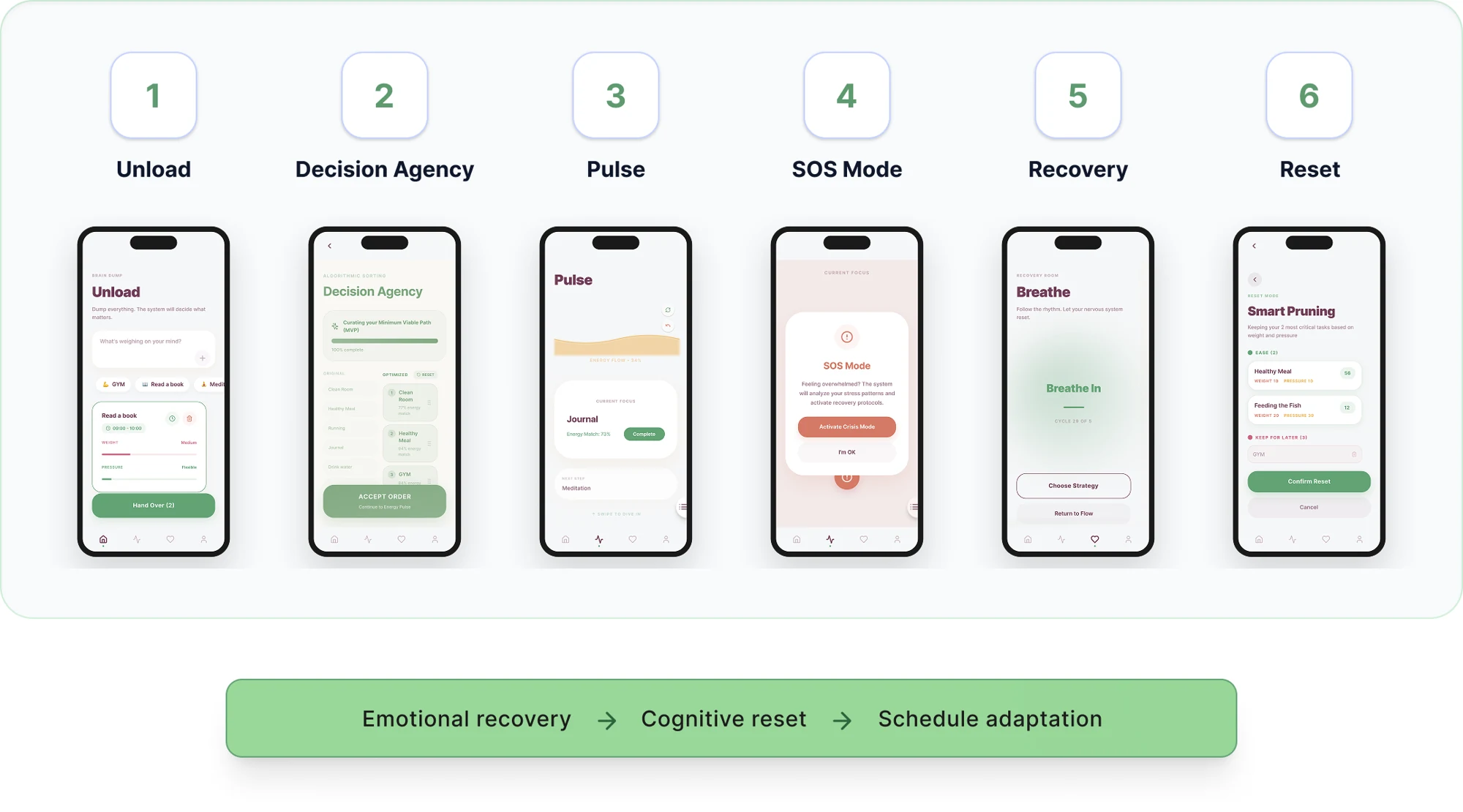
04 Testing Version 1
Moderated think-aloud testing of the phone prototype in March 2026. Five participants aged 21 to 28, all regular users of productivity tools, each did the same five scenario tasks. A small formative study: it found problems, it does not prove the app works.
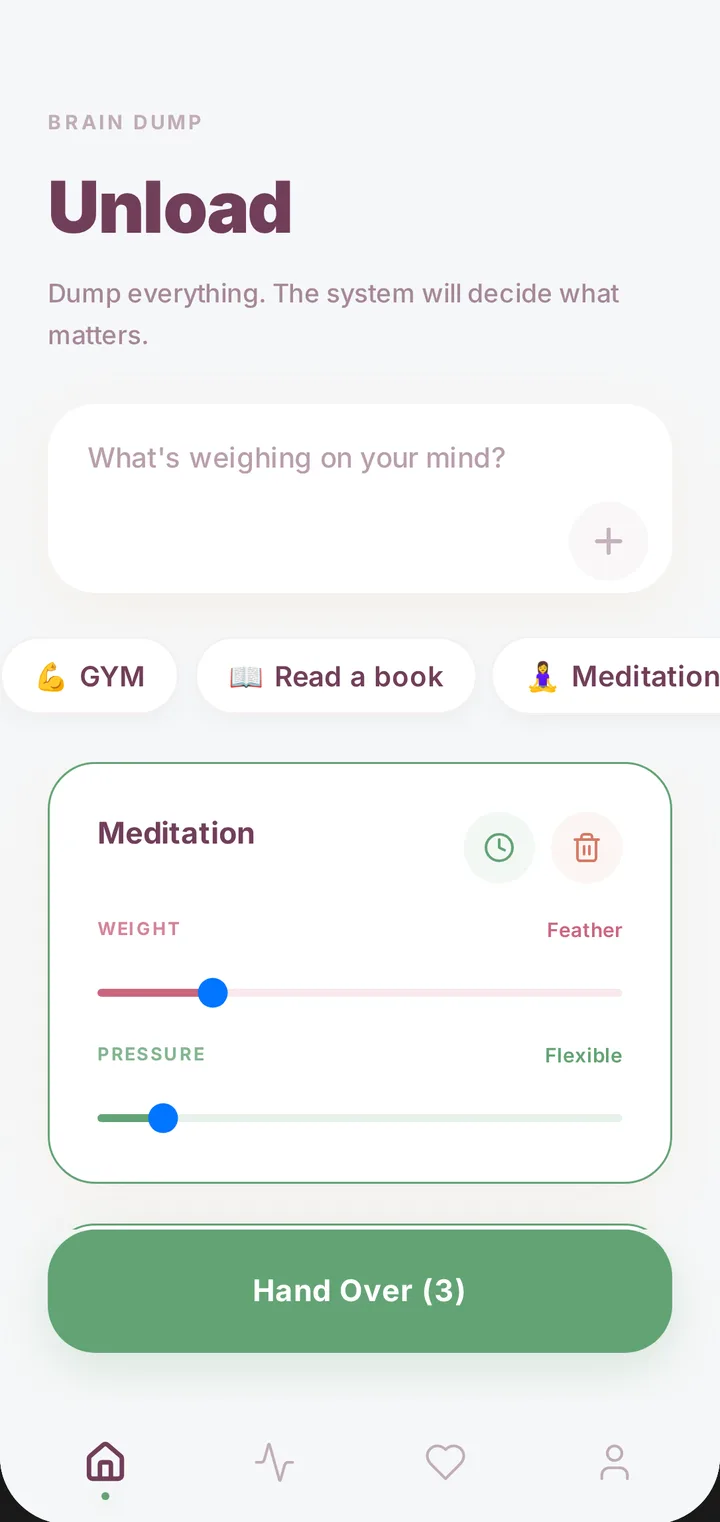
3 of 5 were unsure how Weight and Pressure differed the first time they used them.
Supports: fewer settings people have to understand, set and judge themselves.One participant felt “Crisis Mode” added tension. All five responded well to the calm pace of the Recovery Room.
Supports: a gentler recovery, without the feeling of suddenly entering an emergency.One participant worried Reset Mode would delete tasks for good, with no undo.
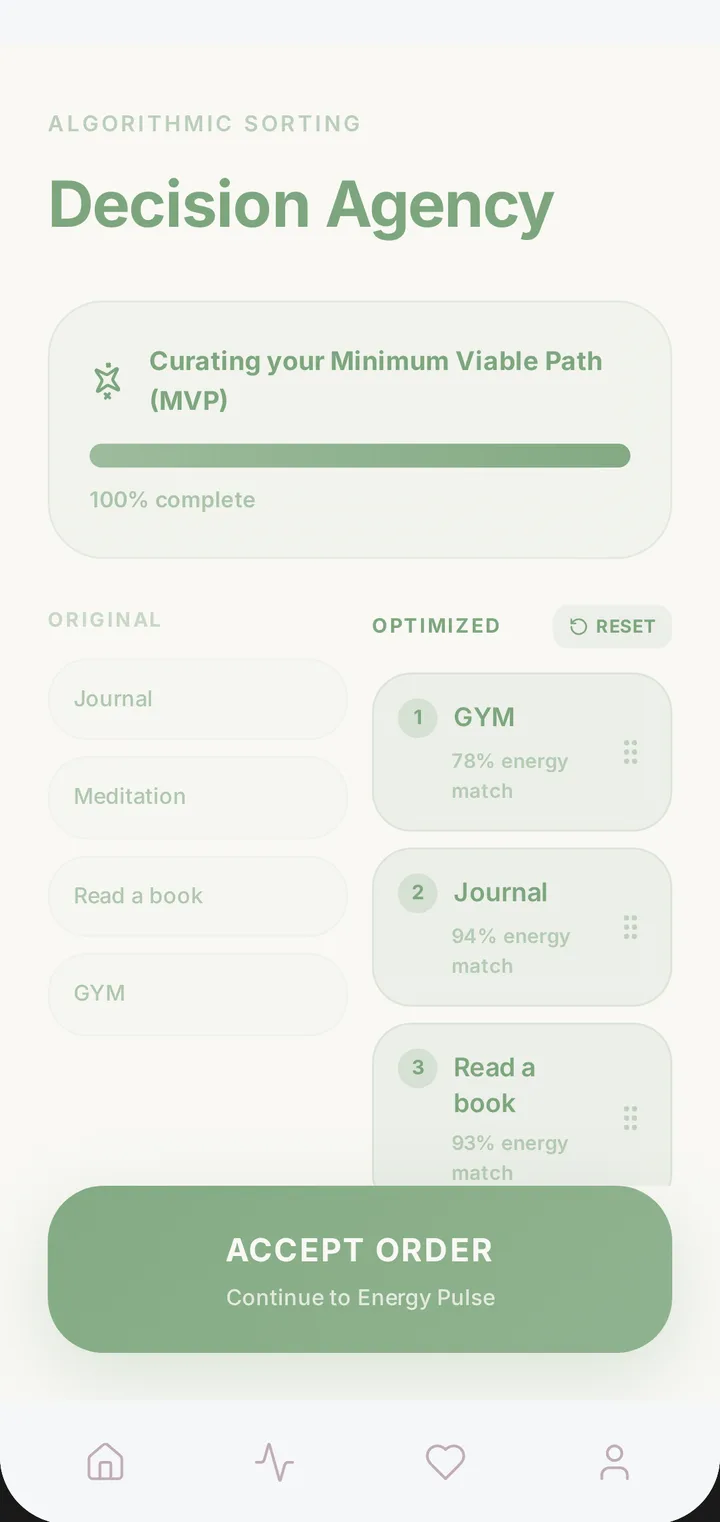
Supports: changes people can understand and reverse, keeping the tasks they already have.Two participants clearly liked how Decision Agency set the original and optimised orders side by side.
Supports: the system suggests, but people keep the understanding and the final say.Other problems were about words and signposting: the time-box icon was missed, the loading screen looked like it needed input, and the bottom icons had no labels.
The test and the Version 1 review already moved the recovery logic on. Recovery should keep every task and reorder it, lighter tasks first. The plan should stay still until the user chooses to enter recovery. I also proposed bringing tasks in from existing tools, and letting people own their schedule data.
05 The turning point
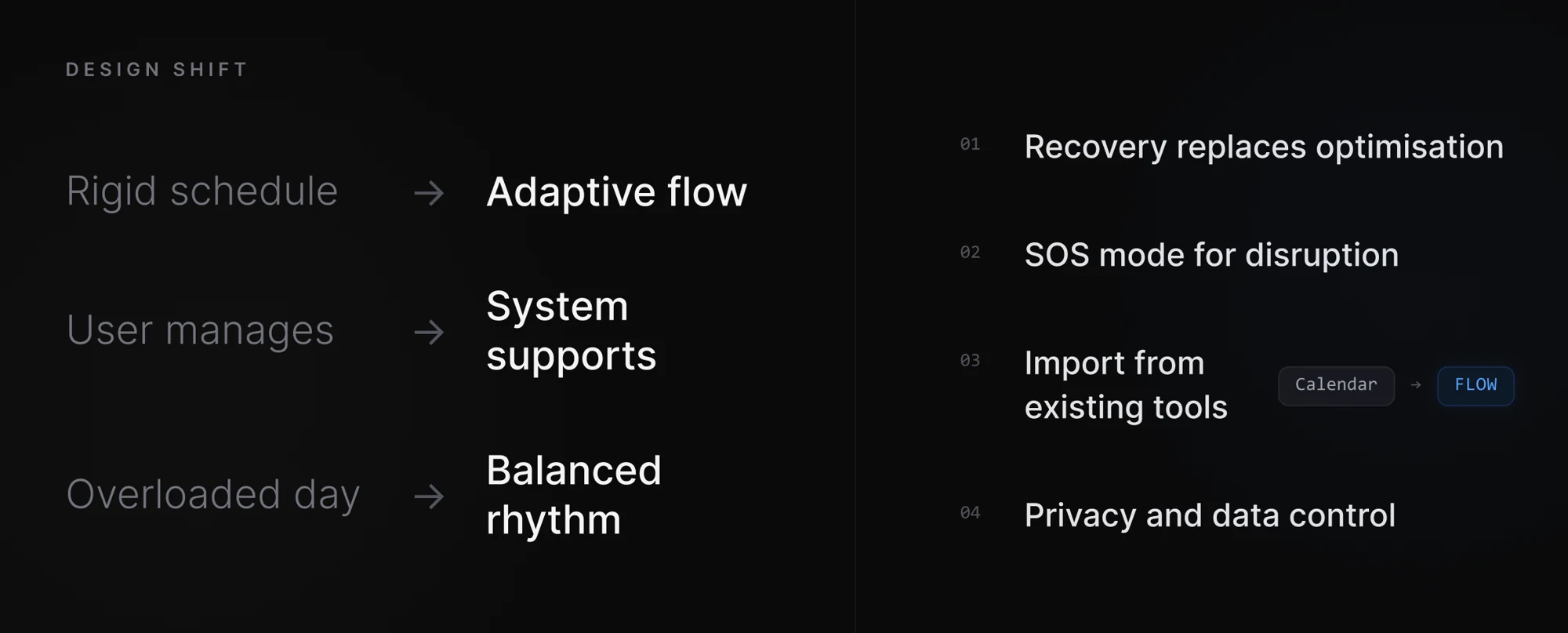
The research question stayed. What I rethought was when FLOW steps in, how much attention it asks for, and the medium it speaks through.
Version 1 helped once the day had already fallen apart. Version 2 checks in at the end of each block, while an overrun is still small.
A phone app has to be picked up and opened. Version 2 lives on the laptop where the work happens, in the place the clock used to be.
Numbers draw the eye to the minutes. Light moving across a form shows that time is passing without asking to be read.
Light and colour, instead of a digital countdown, can show task state and working rhythm, and so reduce attention to time itself.
It builds on what I explored in Tranquil-Spin about light and the feeling of time. It is a hypothesis to test, not something the five-person study has shown.06 Version 2 · Desktop
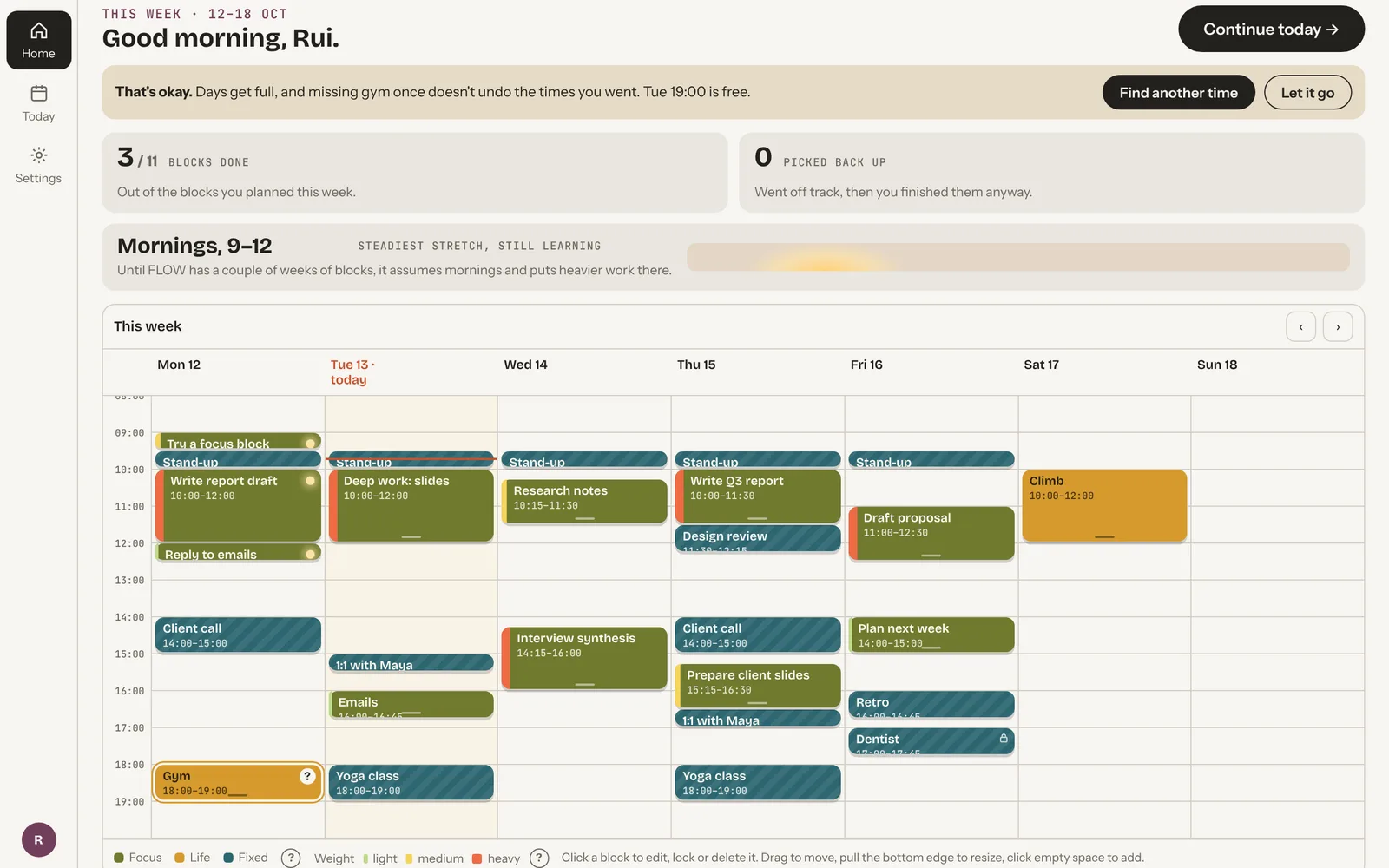
You sign in, bring in meetings from tools like Teams, Zoom or Google Calendar, and FLOW places focus work around them. Press Continue and a focus page opens for one task. Minimise it, and the time object on the taskbar keeps the time.
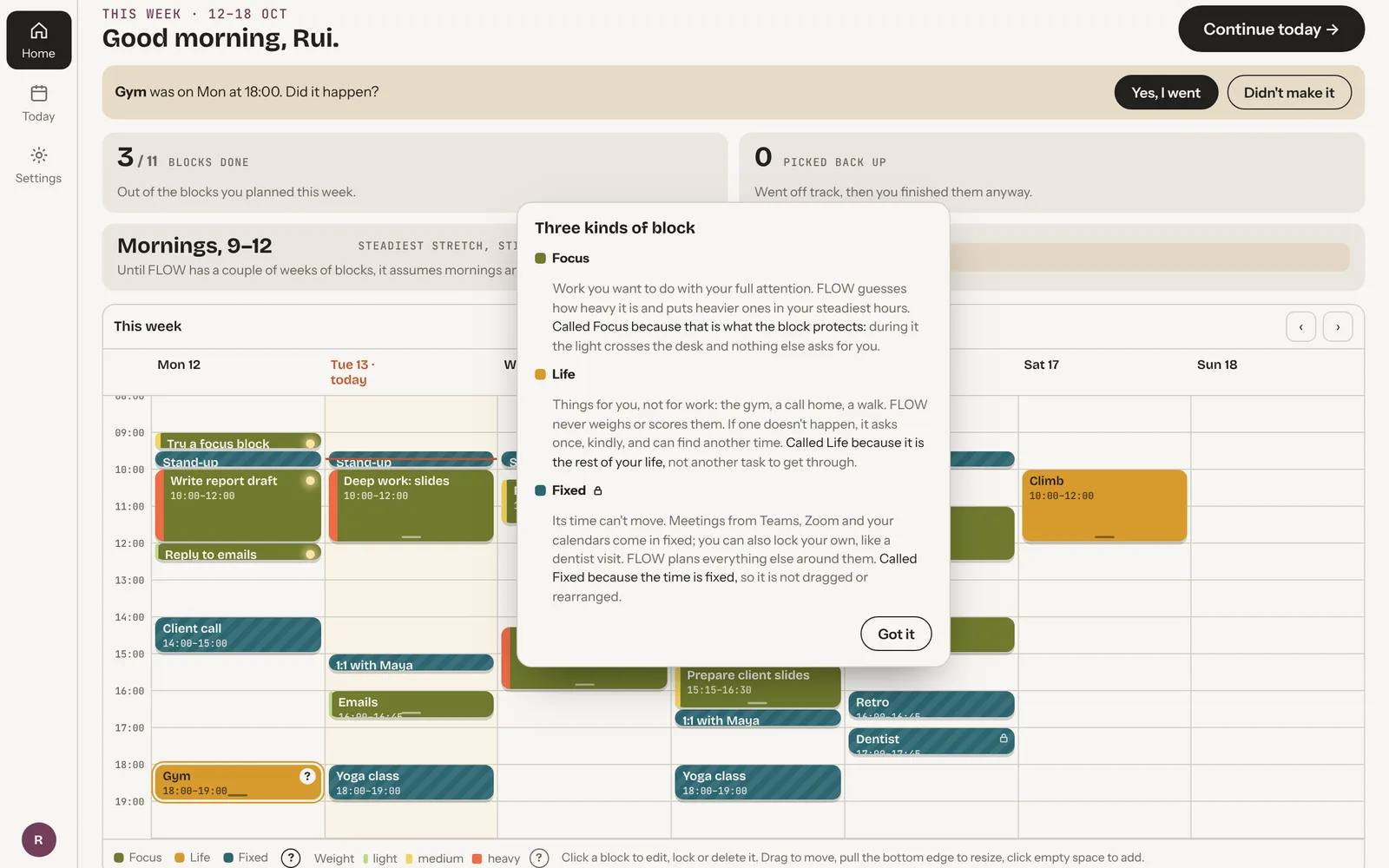
Focus is work that needs attention. Life is the rest of your life, like the gym or a call home, and is never scored. Fixed cannot move: meetings, or anything you lock yourself.
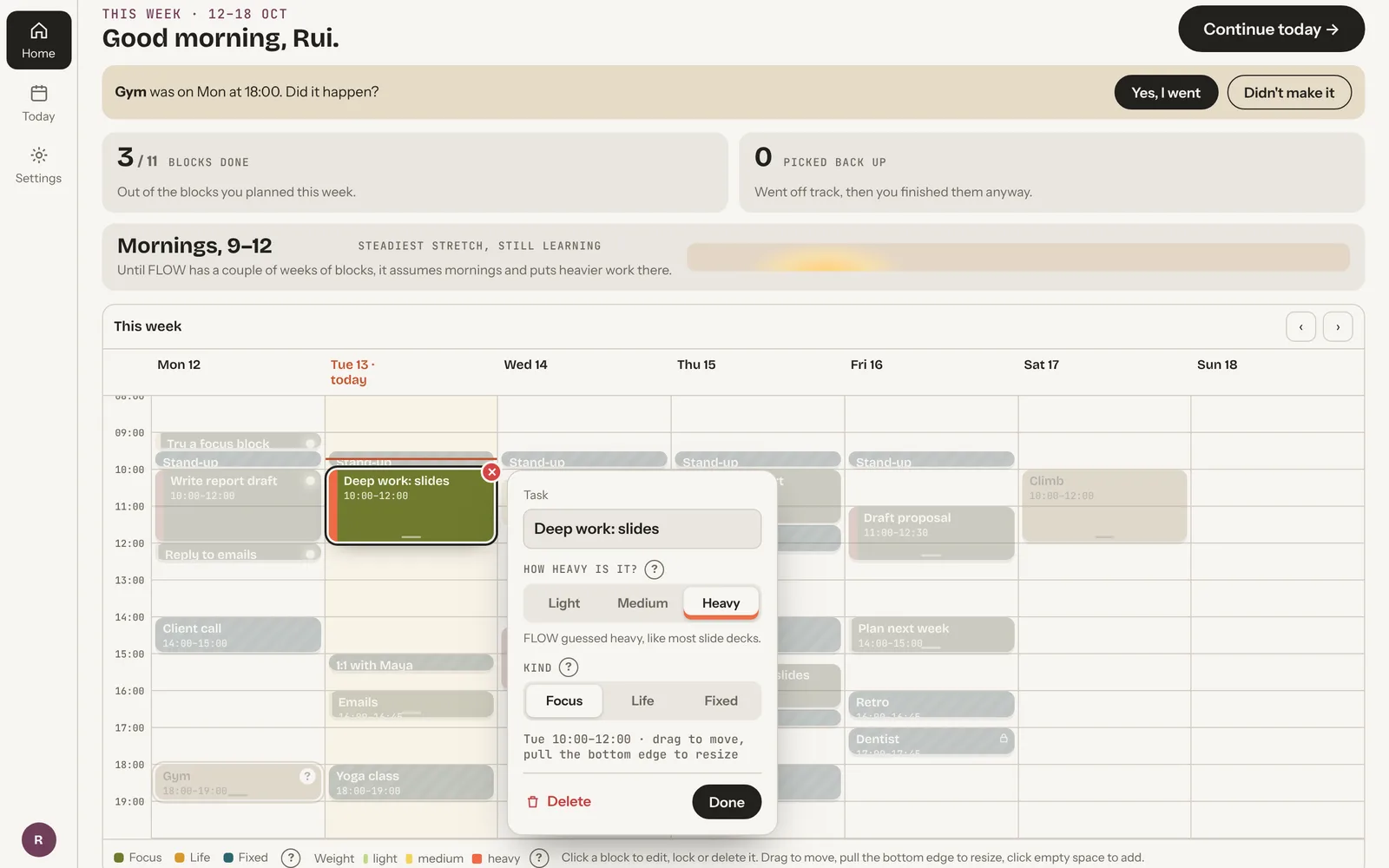
Light, medium or heavy, one setting in place of Weight and Pressure. Heavy work goes to your steadiest hours and gets a heads-up 5 minutes before.
Its position shows how far the block has gone. Hover it for the exact time.
Need a bit more adds 15 or 30 minutes if the calendar allows. Not finished leads to “Pause for a moment”, then the rest of today is reordered with every task kept.
Connected tools
Meetings from your calendar. Tasks from your team. One place to see what is fixed and decide when to focus.
01 / ALREADY IN YOUR TOOLS
10:30–11:00
Meeting · time already set
Due today · 16:00
Assigned work · import concept
Bring together.
Plan around.
02 / IN YOUR DAY
CONNECT ONCE
Choose the calendars and work tools you already use. FLOW brings the commitments into view, so planning starts with your real day.
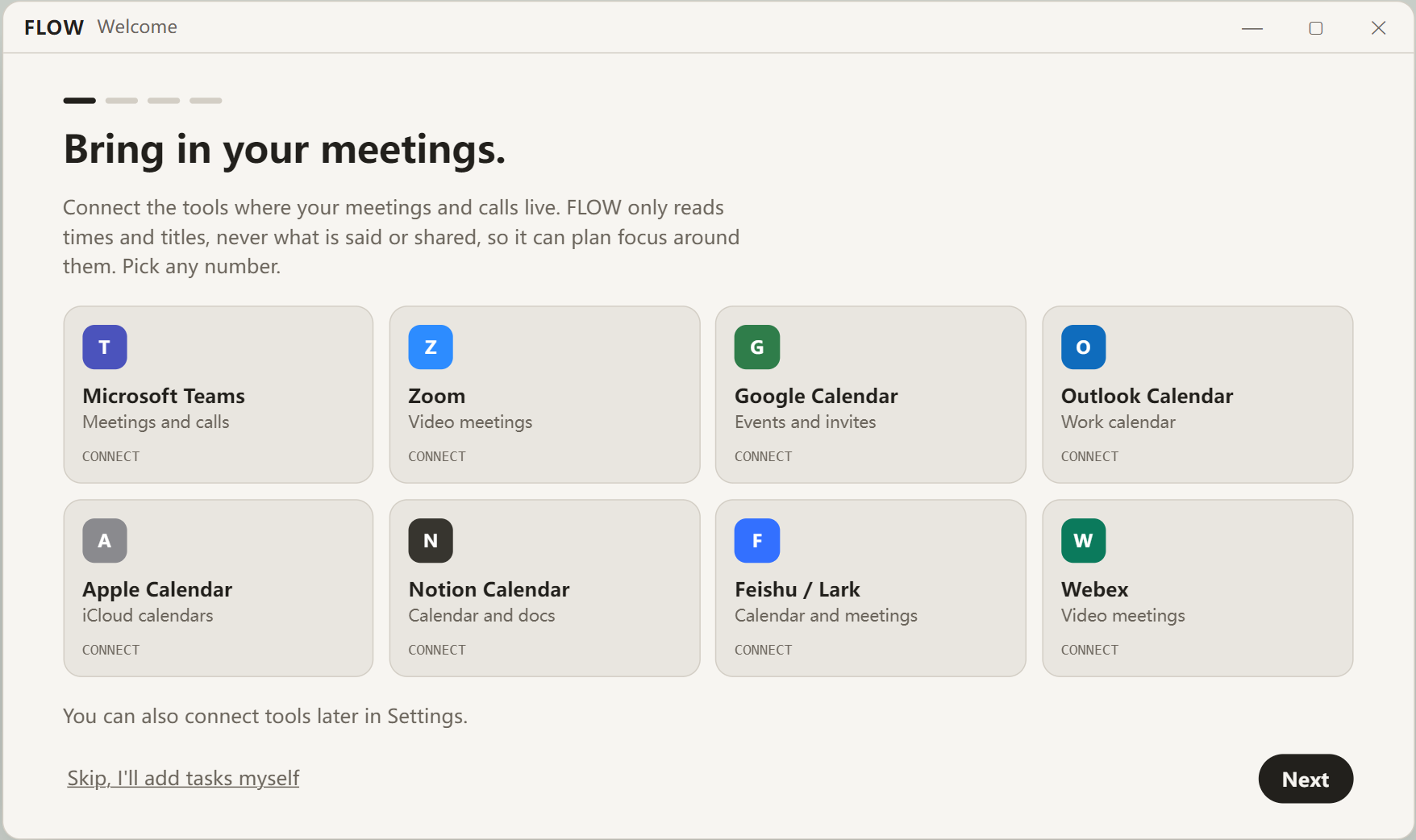
Illustrated workflow with sample data. Live calendar sync is planned; importing manager-assigned tasks is a proposed extension.
Light, medium or heavy, with a “?” that says what each one changes and why it has that name.
The words are now “Not finished” and “Pause for a moment”. Nothing on screen says crisis.
Recovery reorders the rest of the day and you can keep your own order instead. Deleting a block shows an Undo.
FLOW asks once if it happened. If not, it says that's okay and offers another free time this week, or letting it go.
07 Where Version 2 stands
Version 2 is a clickable prototype and a working Windows app, prototyped with Claude Code. Calendar sync is designed; the app currently uses sample meetings. The usability findings above come from Version 1. Version 2 has not been tested with users yet; that is the next step.
My part
The outcomes described are expected effects from a concept and a small test, not measured results.